
Calibre 是一个开源的电子书管理软件,可以帮助用户管理电子书库,支持多种电子书格式,主要用于以下几个方面:
- 电子书管理:
- Calibre 可以帮助用户管理电子书库,支持多种电子书格式(如EPUB、MOBI、PDF、AZW3等)。
- 用户可以在 Calibre 中添加、删除、编辑电子书,并对电子书进行分类、打标签、添加封面等操作。
- 电子书转换:
- Calibre 支持多种电子书格式之间的转换。例如,可以将 EPUB 格式的电子书转换为 MOBI 格式,以便在 Kindle 设备上阅读。
- 转换过程中,Calibre 还可以调整电子书的元数据(如书名、作者、封面等)。
- 电子书阅读:
- Calibre 内置了一个电子书阅读器,用户可以直接在软件中阅读电子书。
- 阅读器支持书签、注释、字体调整等功能,提供良好的阅读体验。
- 电子书编辑:
- Calibre 提供了一个电子书编辑器,用户可以对 EPUB 和 AZW3 格式的电子书进行编辑。
- 编辑器支持文本修改、格式调整、图片插入等功能。
- 设备同步:
- Calibre 支持与多种电子书阅读设备(如 Kindle、Kobo 等)同步电子书。
- 用户可以通过 USB 连接或无线网络(邮箱传输),将电子书传输到阅读设备上。
借助Calibre可以做的事:
图书编辑
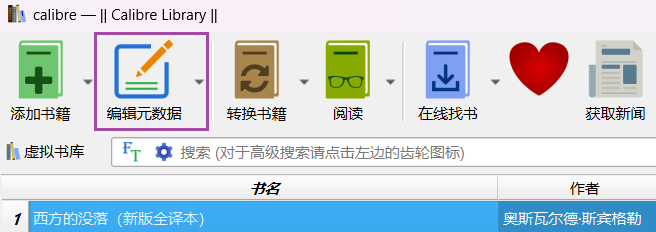
选中图书,点击菜单栏「编辑元数据」
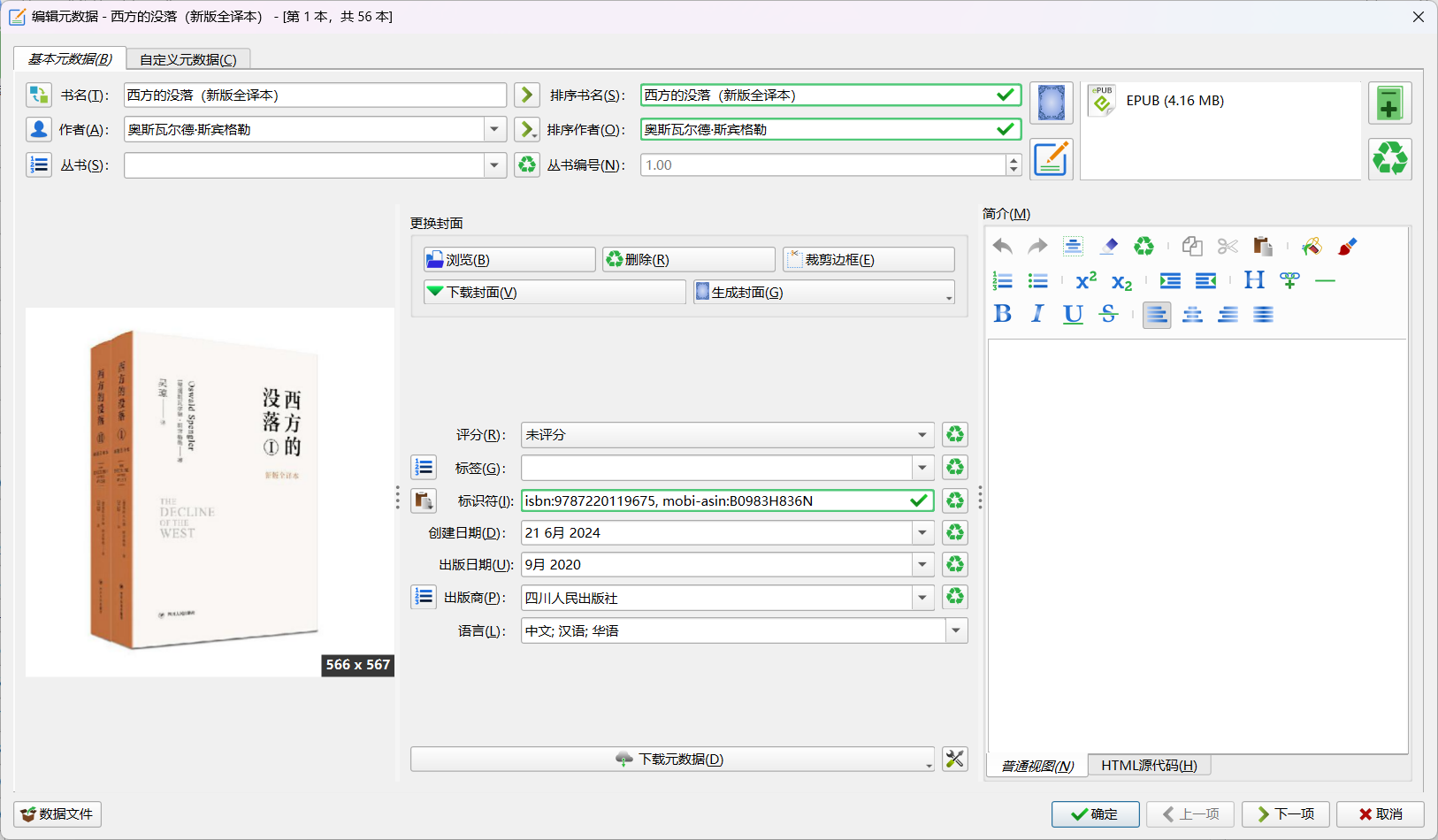
对电子书基本信息编辑修改
转换样式优化
选中书籍,点击菜单栏「转换书籍」
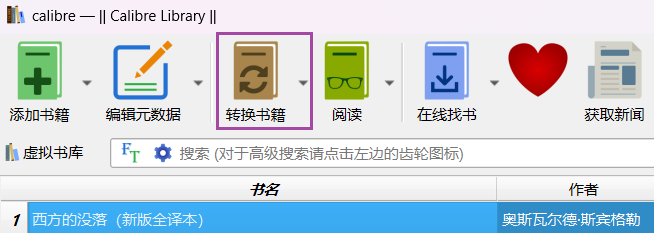
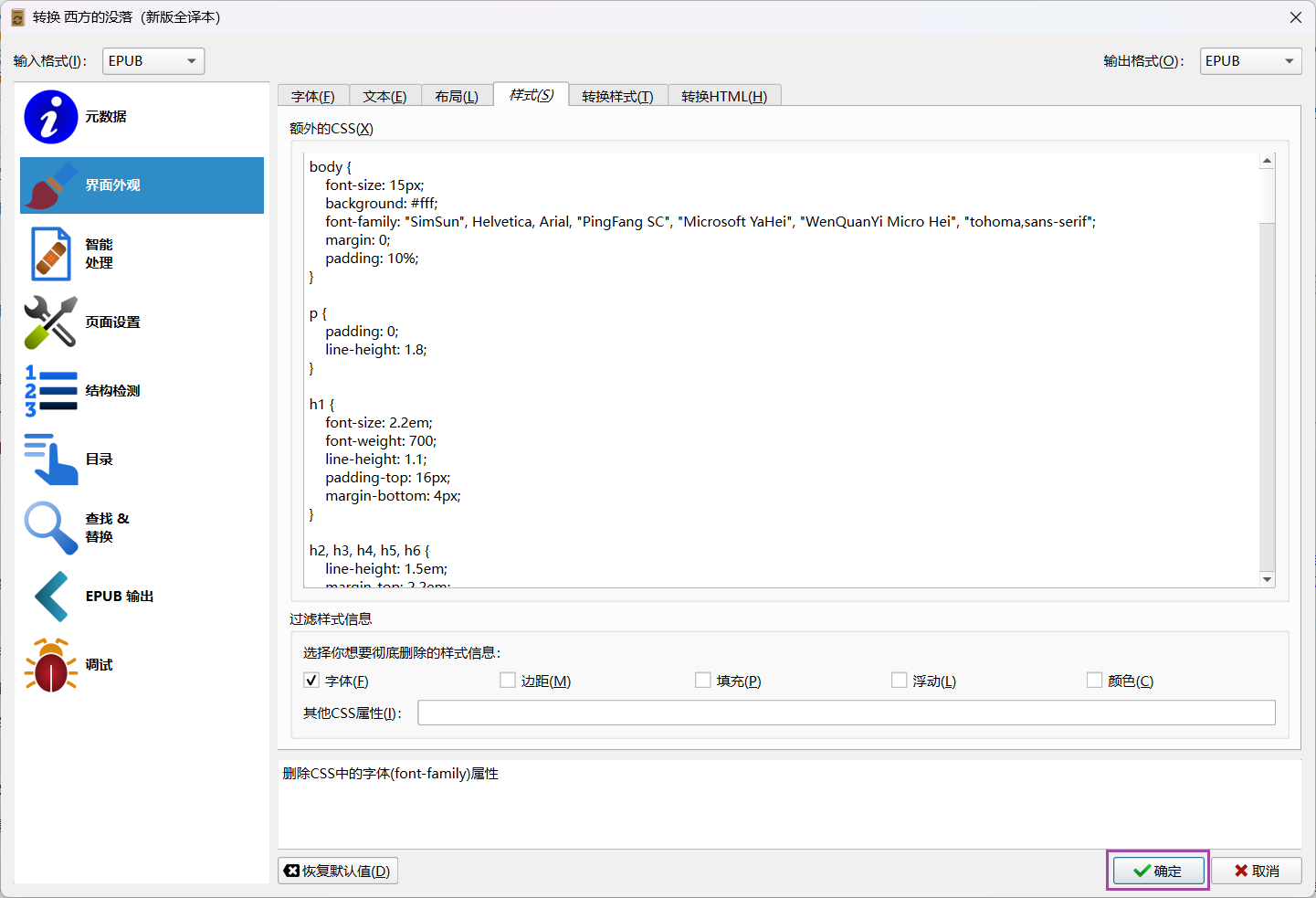
转到左侧第二行「界面外观」
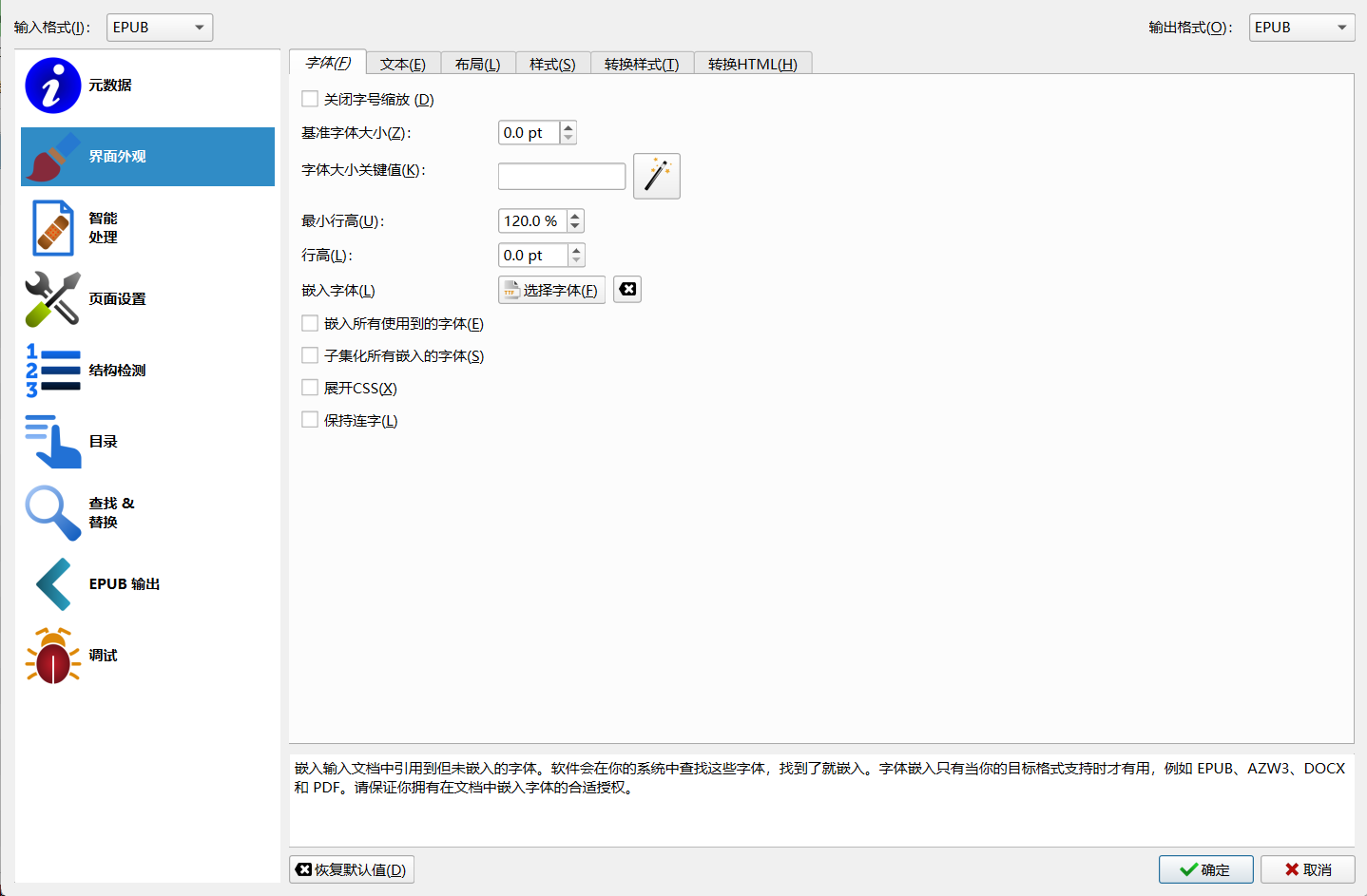
「字体」页面默认,有自定义字体需求可以选择嵌入字体
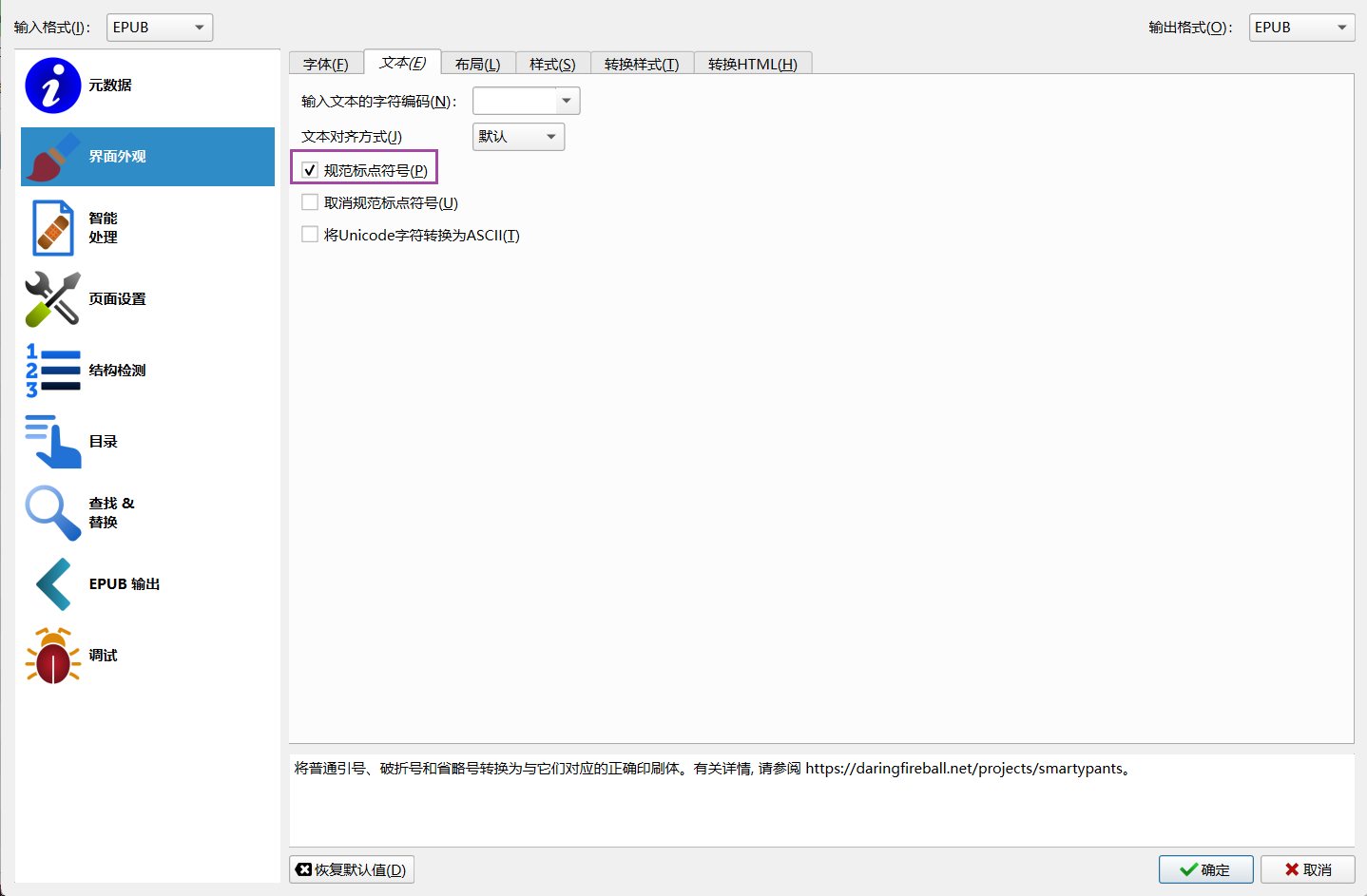
「文本」页面,勾选规范标点符号
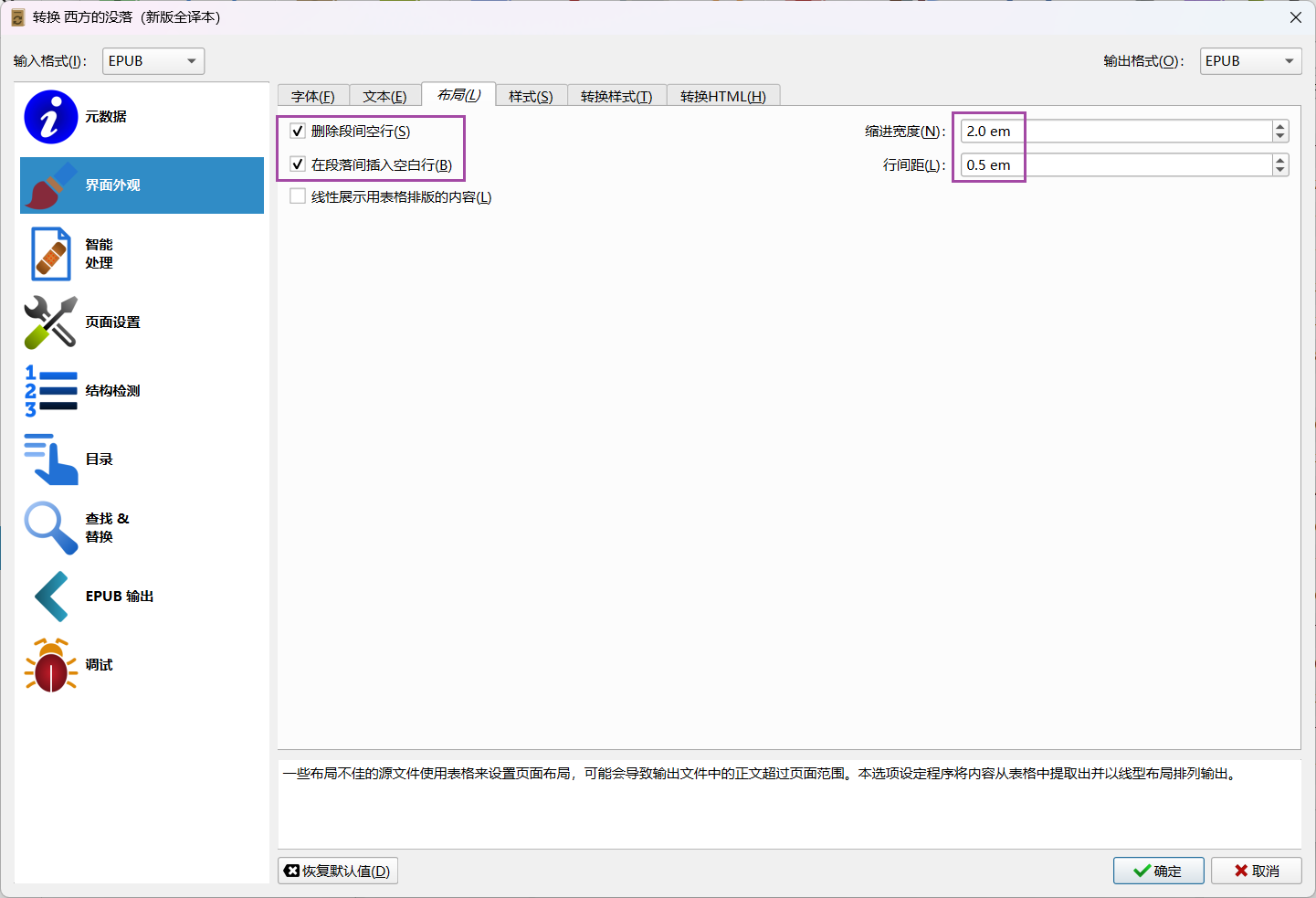
「布局」
勾选删除段间空行,在段落间插入空白行
缩进宽度2.0em
行间距0.5em
「样式」页面,填入css样式代码
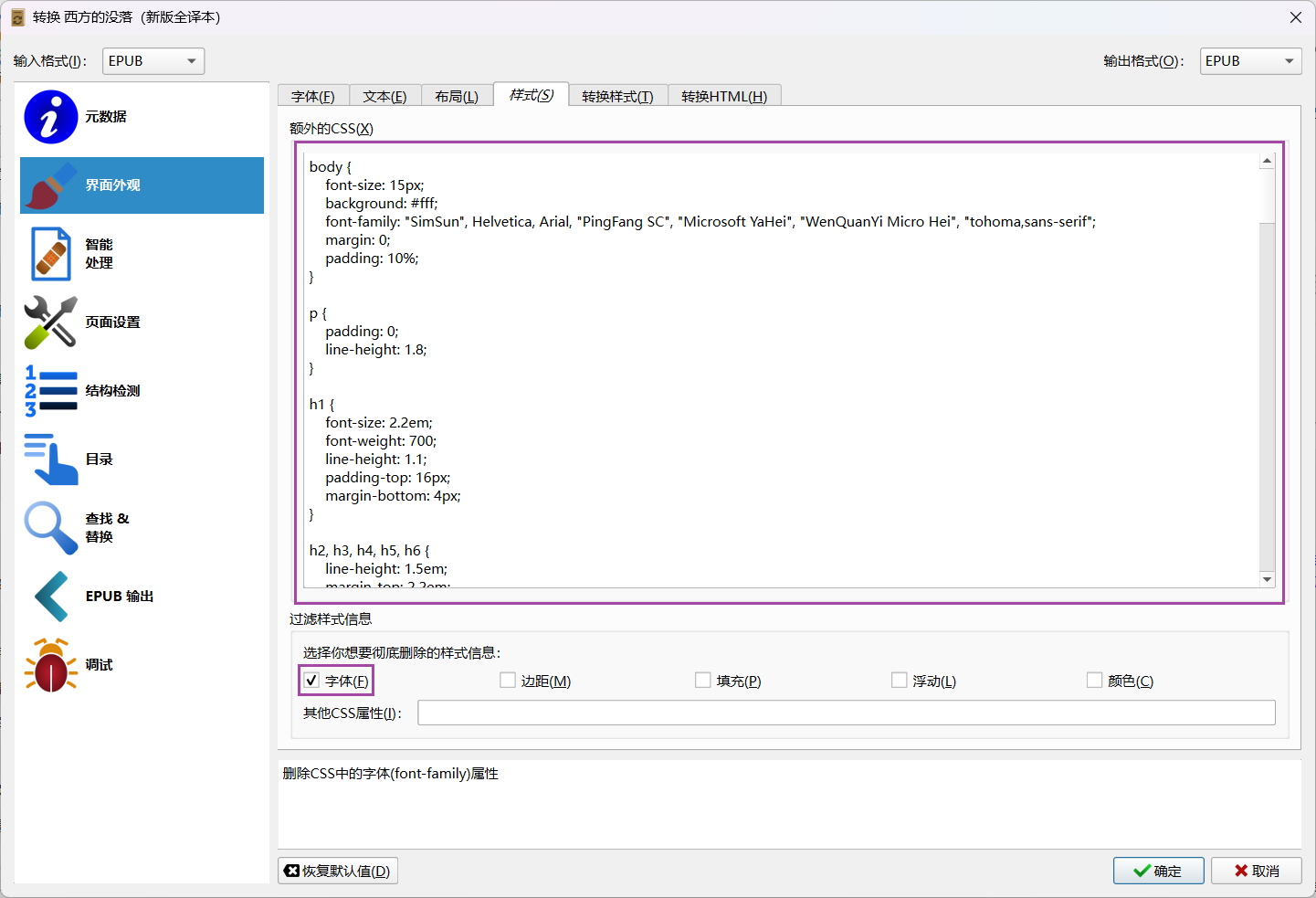
body {
    font-size: 15px;
    background: #fff;
    font-family: "SimSun", Helvetica, Arial, "PingFang SC", "Microsoft YaHei", "WenQuanYi Micro Hei", "tohoma,sans-serif";
    margin: 0;
    padding: 10%;
}

p {
    padding: 0;
    line-height: 1.8;
}

h1 {
    font-size: 2.2em;
    font-weight: 700;
    line-height: 1.1;
    padding-top: 16px;
    margin-bottom: 4px;
}

h2, h3, h4, h5, h6 {
    line-height: 1.5em;
    margin-top: 2.2em;
    margin-bottom: 4px;
}

h2 {
    font-size: 1.4em;
    margin: 40px 10px 20px 0;
    padding-left: 9px;
    font-weight: 700;
    line-height: 1.4;
}

h3 {
    font-weight: 700;
    font-size: 1.2em;
    line-height: 1.4;
    margin: 10px 0 5px;
    padding-top: 10px;
}

h4 {
    font-weight: 700;
    text-transform: uppercase;
    font-size: 1.1em;
    line-height: 1.4;
    margin: 10px 0 5px;
    padding-top: 10px;
}

h5, h6 {
    font-size: .9em;
}

h5 {
    font-weight: bold;
    text-transform: uppercase;
}

h6 {
    font-weight: normal;
}

img {
    border-radius: 5px;
    display: block;
    margin-bottom: 15px;
    height: auto;
}

dl, ol, ul {
    margin-top: 12px;
    margin-bottom: 20px;
    padding-left: 5%;
    line-height: 1.8;
}

a {
    color: #D1771B;
    text-decoration: none;
}

a:hover {
    color: #A15A13;
    text-decoration: underline;
}

a:focus {
    outline-offset: -2px;
}

blockquote {
    font-size: 1em;
    font-style: normal;
    padding: 0.5em 0;
    position: relative;
    line-height: 1.8;
    text-indent: 0;
    border: none;
}

strong, dfn {
    font-weight: 700;
}

em, dfn {
    font-style: italic;
    font-weight: 400;
}

del {
    text-decoration: line-through;
}

pre {
    margin: 0 0 10px;
    font-size: 13px;
    line-height: 1.42857;
    word-break: break-all;
    word-wrap: break-word;
    border-radius: 4px;
    white-space: pre-wrap;
    display: block;
    background: #f8f8f8;
    padding: 10px 20px;
    border: none;
    margin-bottom: 25px;
    font-family: Courier, sans-serif;
}

code {
    color: #c7254e;
    background-color: #f9f2f4;
    border-radius: 4px;
    font-family: Menlo, Monaco, Consolas, "Courier New", monospace;
    padding: 2px 4px;
    font-size: 90%;
}

p>code {
    color: #c7264e;
    background-color: #f9f2f4;
    font-size: .95em;
    border-radius: 3px;
    -moz-border-radius: 3px;
    -webkit-border-radius: 3px;
}

figure {
    margin: 1em 0;
}

figcaption {
    font-size: 0.75em;
    padding: 0.5em 2em;
    margin-bottom: 2em;
}

figure img {
    margin-bottom: 0px;
}

hr {
    margin-top: 20px;
    margin-bottom: 20px;
    border: 0;
    border-top: 1px solid #eee;
}
css详细说明:
自定义字体size,color自行按细节修改:
body {
    font-size: 15px; /* 设置全局字体大小 */
    background: #fff; /* 设置背景颜色为白色 */
    font-family: "SimSun", Helvetica, Arial, "PingFang SC", "Microsoft YaHei", "WenQuanYi Micro Hei", "tohoma,sans-serif"; /* 设置字体族,按优先顺序依次使用 */
    margin: 0; /* 去除默认的外边距 */
    padding: 10%; /* 设置内边距为 10% */
}

p {
    padding: 0; /* 去除段落的内边距 */
    line-height: 1.8; /* 设置行高 */
}

h1 {
    font-size: 2.2em; /* 设置一级标题的字体大小 */
    font-weight: 700; /* 设置字体加粗 */
    line-height: 1.1; /* 设置行高 */
    padding-top: 16px; /* 设置顶部内边距 */
    margin-bottom: 4px; /* 设置底部外边距 */
}

h2, h3, h4, h5, h6 {
    line-height: 1.5em; /* 设置标题的行高 */
    margin-top: 2.2em; /* 设置顶部外边距 */
    margin-bottom: 4px; /* 设置底部外边距 */
}

h2 {
    font-size: 1.4em; /* 设置二级标题的字体大小 */
    margin: 40px 10px 20px 0; /* 设置外边距 */
    padding-left: 9px; /* 设置左侧内边距 */
    font-weight: 700; /* 设置字体加粗 */
    line-height: 1.4; /* 设置行高 */
}

h3 {
    font-weight: 700; /* 设置字体加粗 */
    font-size: 1.2em; /* 设置三级标题的字体大小 */
    line-height: 1.4; /* 设置行高 */
    margin: 10px 0 5px; /* 设置外边距 */
    padding-top: 10px; /* 设置顶部内边距 */
}

h4 {
    font-weight: 700; /* 设置字体加粗 */
    text-transform: uppercase; /* 设置文本转换为大写 */
    font-size: 1.1em; /* 设置四级标题的字体大小 */
    line-height: 1.4; /* 设置行高 */
    margin: 10px 0 5px; /* 设置外边距 */
    padding-top: 10px; /* 设置顶部内边距 */
}

h5, h6 {
    font-size: .9em; /* 设置五级和六级标题的字体大小 */
}

h5 {
    font-weight: bold; /* 设置字体加粗 */
    text-transform: uppercase; /* 设置文本转换为大写 */
}

h6 {
    font-weight: normal; /* 设置字体正常 */
}

img {
    border-radius: 5px; /* 设置圆角 */
    display: block; /* 设置为块级元素 */
    margin-bottom: 15px; /* 设置底部外边距 */
    height: auto; /* 设置高度自动调整 */
}

dl, ol, ul {
    margin-top: 12px; /* 设置顶部外边距 */
    margin-bottom: 20px; /* 设置底部外边距 */
    padding-left: 5%; /* 设置左侧内边距 */
    line-height: 1.8; /* 设置行高 */
}

a {
    color: #D1771B; /* 设置链接颜色 */
    text-decoration: none; /* 去除下划线 */
}

a:hover {
    color: #A15A13; /* 设置鼠标悬停时链接的颜色 */
    text-decoration: underline; /* 设置鼠标悬停时链接的下划线 */
}

a:focus {
    outline-offset: -2px; /* 设置焦点轮廓的偏移 */
}

blockquote {
    font-size: 1em; /* 设置字体大小 */
    font-style: normal; /* 设置字体样式 */
    padding: 0.5em 0; /* 设置内边距 */
    position: relative; /* 设置相对定位 */
    line-height: 1.8; /* 设置行高 */
    text-indent: 0; /* 设置文本缩进 */
    border: none; /* 去除边框 */
}

strong, dfn {
    font-weight: 700; /* 设置字体加粗 */
}

em, dfn {
    font-style: italic; /* 设置字体样式为斜体 */
    font-weight: 400; /* 设置字体粗细 */
}

del {
    text-decoration: line-through; /* 设置删除线 */
}

pre {
    margin: 0 0 10px; /* 设置外边距 */
    font-size: 13px; /* 设置字体大小 */
    line-height: 1.42857; /* 设置行高 */
    word-break: break-all; /* 设置单词断行 */
    word-wrap: break-word; /* 设置单词换行 */
    border-radius: 4px; /* 设置圆角 */
    white-space: pre-wrap; /* 设置空白处理 */
    display: block; /* 设置为块级元素 */
    background: #f8f8f8; /* 设置背景颜色 */
    padding: 10px 20px; /* 设置内边距 */
    border: none; /* 去除边框 */
    margin-bottom: 25px; /* 设置底部外边距 */
    font-family: Courier, sans-serif; /* 设置字体族 */
}

code {
    color: #c7254e; /* 设置字体颜色 */
    background-color: #f9f2f4; /* 设置背景颜色 */
    border-radius: 4px; /* 设置圆角 */
    font-family: Menlo, Monaco, Consolas, "Courier New", monospace; /* 设置字体族 */
    padding: 2px 4px; /* 设置内边距 */
    font-size: 90%; /* 设置字体大小 */
}

p>code {
    color: #c7264e; /* 设置字体颜色 */
    background-color: #f9f2f4; /* 设置背景颜色 */
    font-size: .95em; /* 设置字体大小 */
    border-radius: 3px; /* 设置圆角 */
    -moz-border-radius: 3px; /* 设置 Mozilla 浏览器的圆角 */
    -webkit-border-radius: 3px; /* 设置 WebKit 浏览器的圆角 */
}

figure {
    margin: 1em 0; /* 设置外边距 */
}

figcaption {
    font-size: 0.75em; /* 设置字体大小 */
    padding: 0.5em 2em; /* 设置内边距 */
    margin-bottom: 2em; /* 设置底部外边距 */
}

figure img {
    margin-bottom: 0px; /* 设置底部外边距 */
}

hr {
    margin-top: 20px; /* 设置顶部外边距 */
    margin-bottom: 20px; /* 设置底部外边距 */
    border: 0; /* 去除边框 */
    border-top: 1px solid #eee; /* 设置顶部边框 */
}
其余设置不用更改,「确认」转换
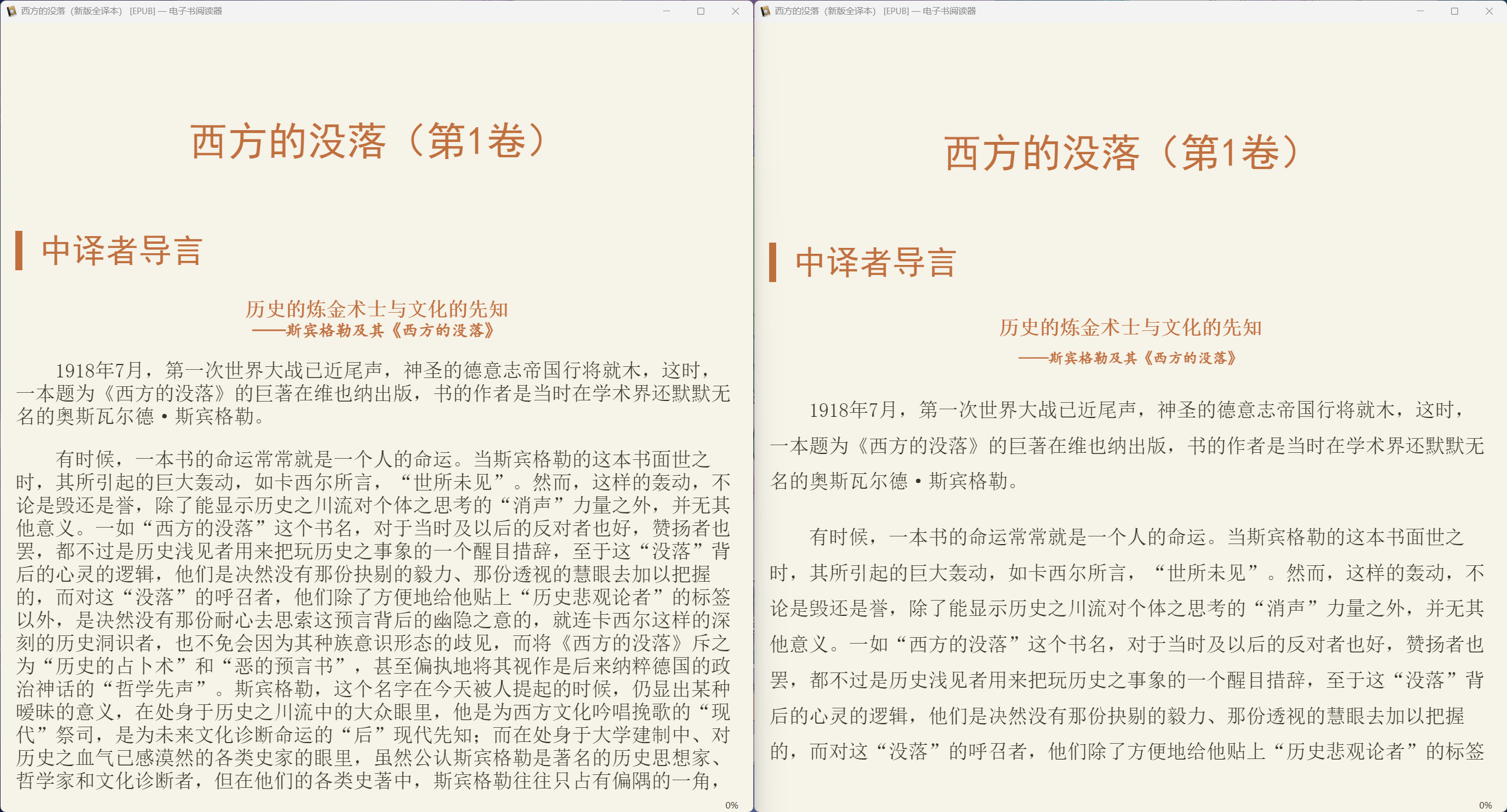
效果展示
「左」原始版本 →「右」转换后
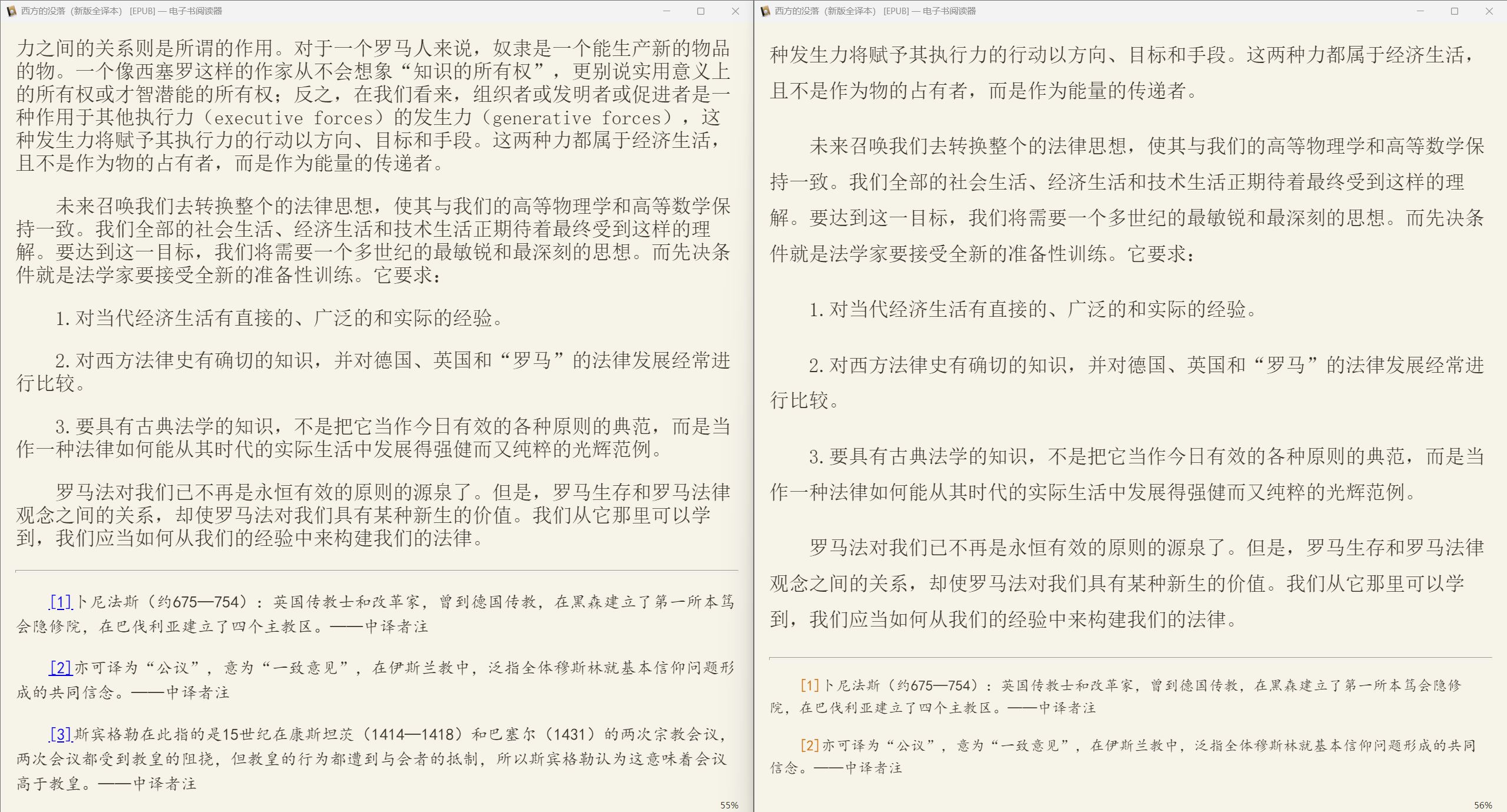
字体
上面的CSS样式在正文段落默认引用宋体,因为衬线字体更适合阅读
这和字体的可辨识度有关,楷体和宋体更接近与真实汉字本身。
另外笔画末尾加重的字体更容易被快速的辨认,而容易辨认显然就能提高阅读速度,也就更适合快速阅读和长时间阅读。有衬线字体大概比无衬线字体速度提升8~13%。这个在几十年前就有研究过,相关的学术文章有很多。
等线体适合长时间阅读是严重的误区。
其实等线体、黑体的字形除了美观外,其实会降低可识别度的,单个字很美观,但是密集出现的时候,会加重阅读难度,更容易让人疲劳。可以将每一个字视为一幅画,一幅画是马克笔画的,所有的线条粗细相同,另一幅是毛笔画的,笔有轻重缓急,显然是毛笔的更加容易突出重点,也更容易被快速辨认。
等线体里,很多笔画是变形的,例如水滴形的点,会变成等粗的断线,柳叶形的捺,也变成等粗的斜线。这些都会降低辨识度,增加辨认识别的时间,可能每一个汉字影响的只有几十毫秒,但大量阅读累计下来,增加的眼脑消耗也是很可观的。为什么电子设备都是等线体?
之所以现在等线体横行,非等线体对分辨率的要求远远大于等线体,在字体较小的情况下,容易出现模糊,甚至笔画缺失,所以为了版面美观,大部分都会采用等线体。
相对来说,印刷体由于遵循了横平竖直的冷硬,反而更适合长时间阅读。相较于楷体、隶书、行书和更多的书法字体,黑体和宋体是比较偏印刷体的。但黑体太过于浓重,适合显示标题而不适合阅读(这也是非衬线字体的视觉原理),所以最佳的显示字体,其实还是宋体。
在大多数PC上,由于分辨率的原因,宋体显示效果细小,甚至会出现锯齿,观感一般。
推荐宋体:方正屏显雅宋
字体介绍
屏显雅宋是在标雅宋基础上的针对屏幕应用的改良设计版。标雅宋适合正文排版,但原先的设计着眼于纸质印刷,直接运用于屏幕上,则显得横竖差别偏大,对屏幕阅读的舒适度有一定的影响。为此,重新设定了横竖比例,并做了一些局部改良,使得在屏幕应用中有良好的表现。
下载字体后在Calibre转换时嵌入
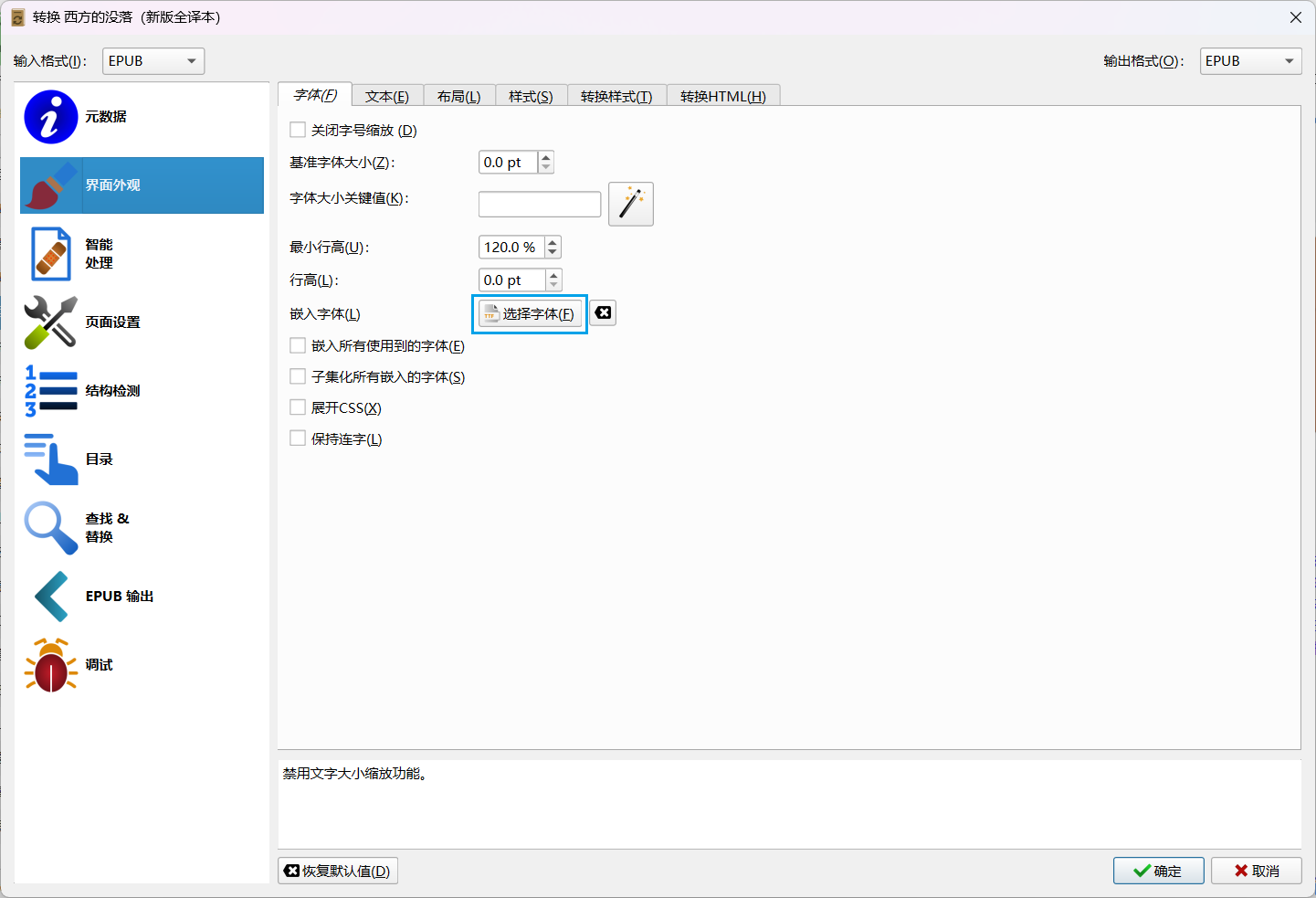
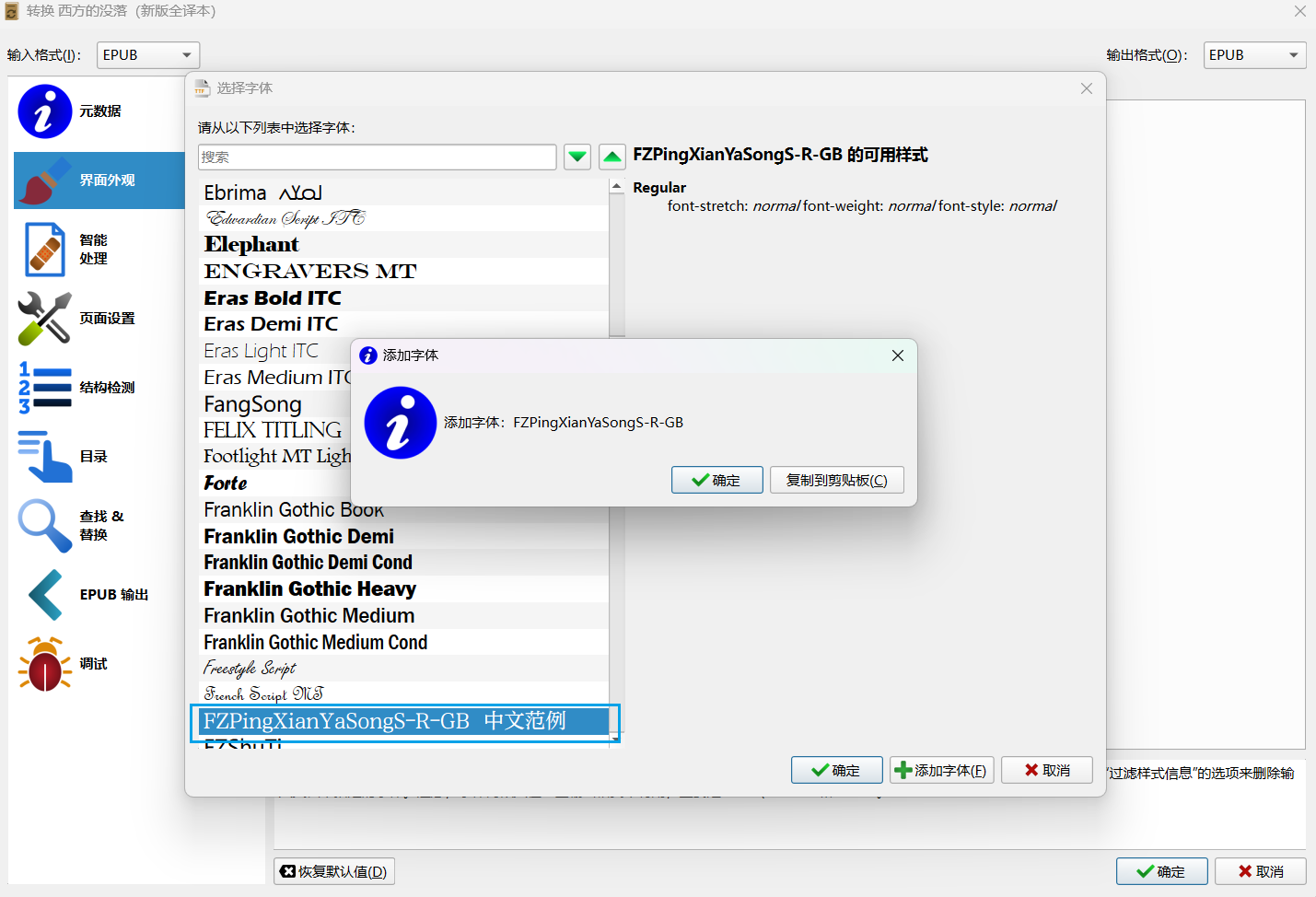
嵌入字体转换后电子书有了”出厂商字体“,默认变成了嵌入字体,一般的移动设备,手机和Kindle都可以自行切换字体,也就是没必要特地嵌入。
如果是在Kindle上阅读,建议不嵌入,可以导入字体文件到Kindle后在设备上自行切换。
但是PC上宋体显示过细,观感不佳,PC上阅读有必要转换成「方正屏显雅宋」。
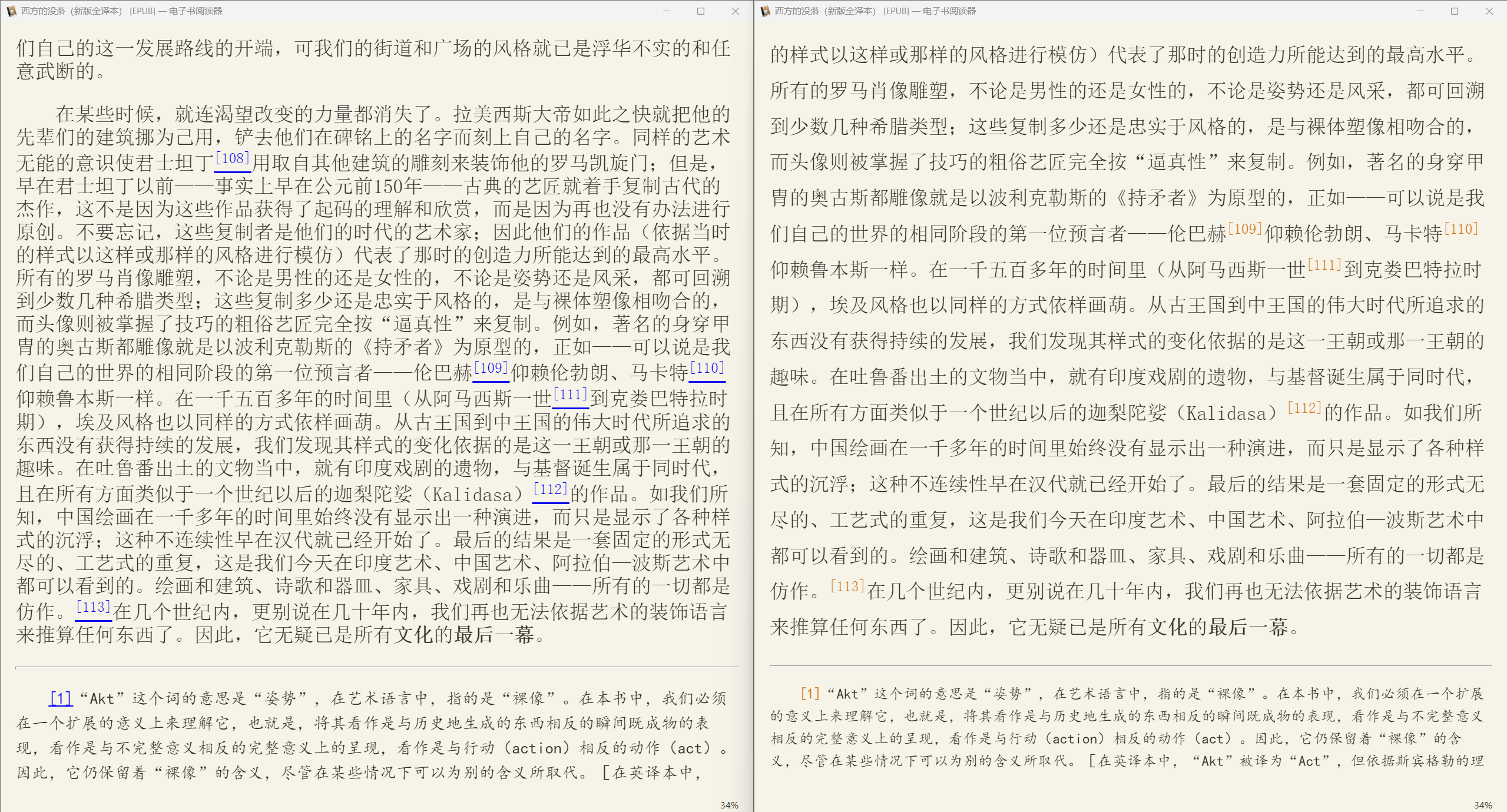
转换效果
「左」原始版本 →「中」转换后(宋体) →「右」转换后(方正屏显雅宋)
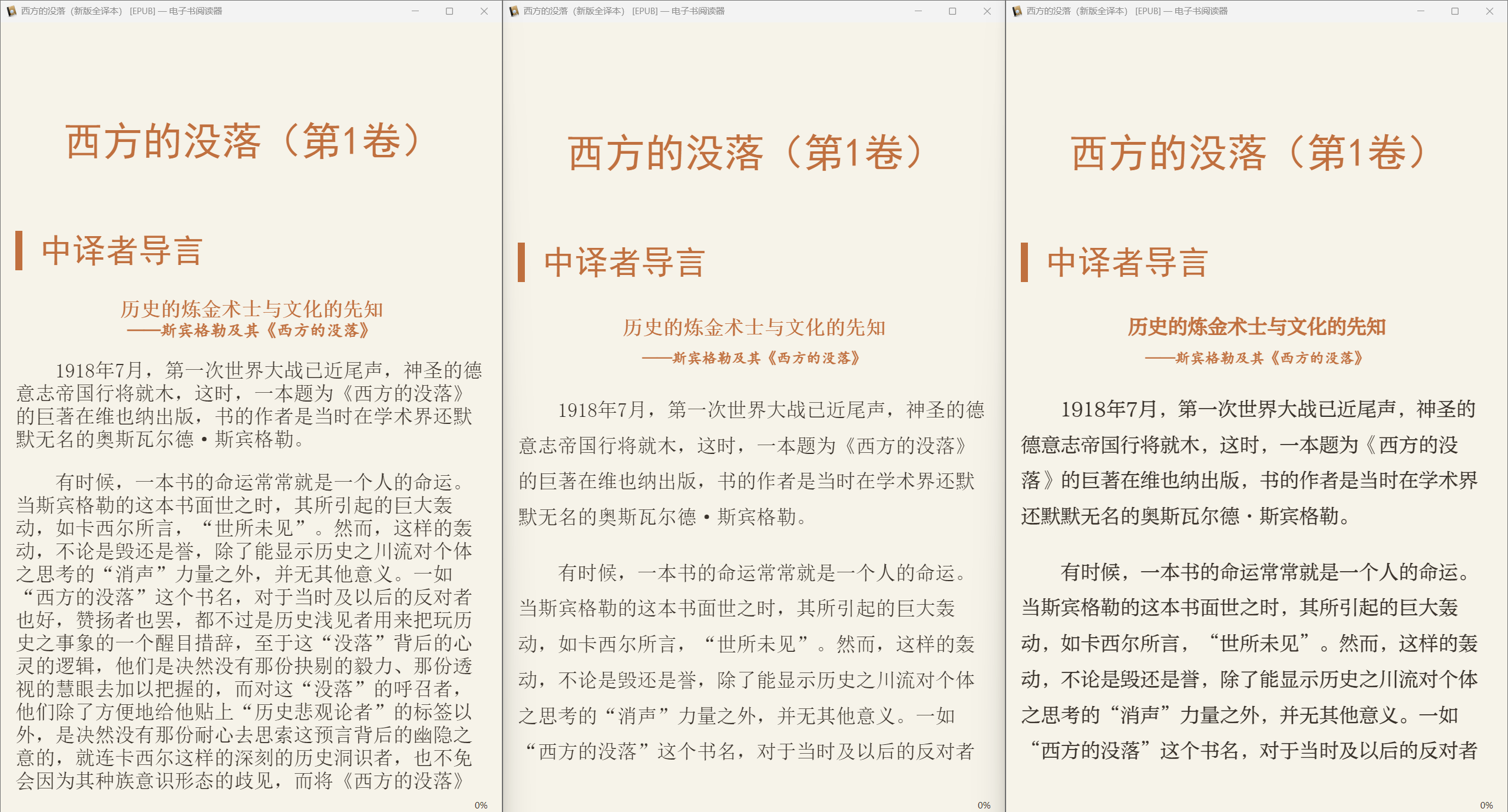
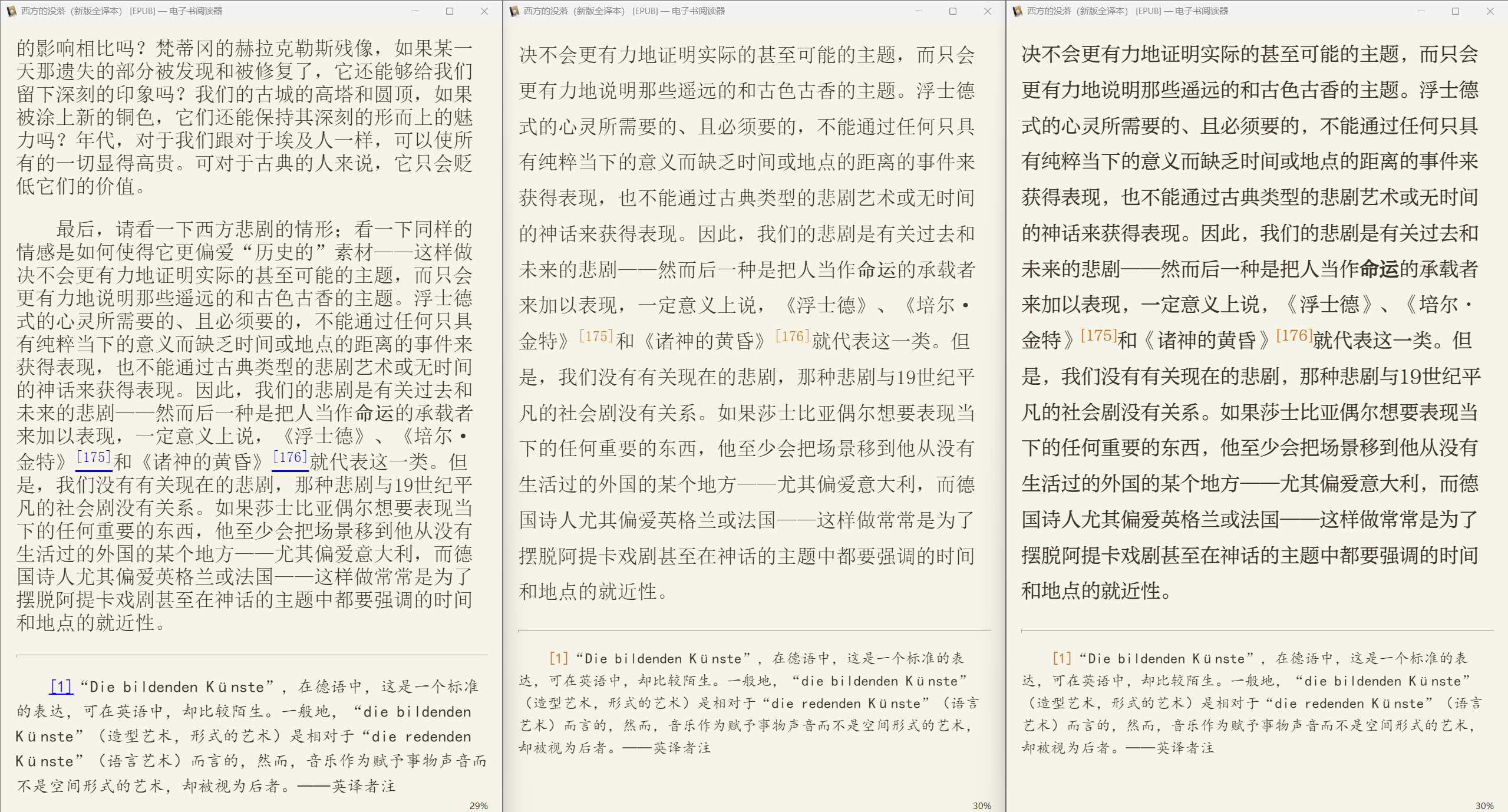
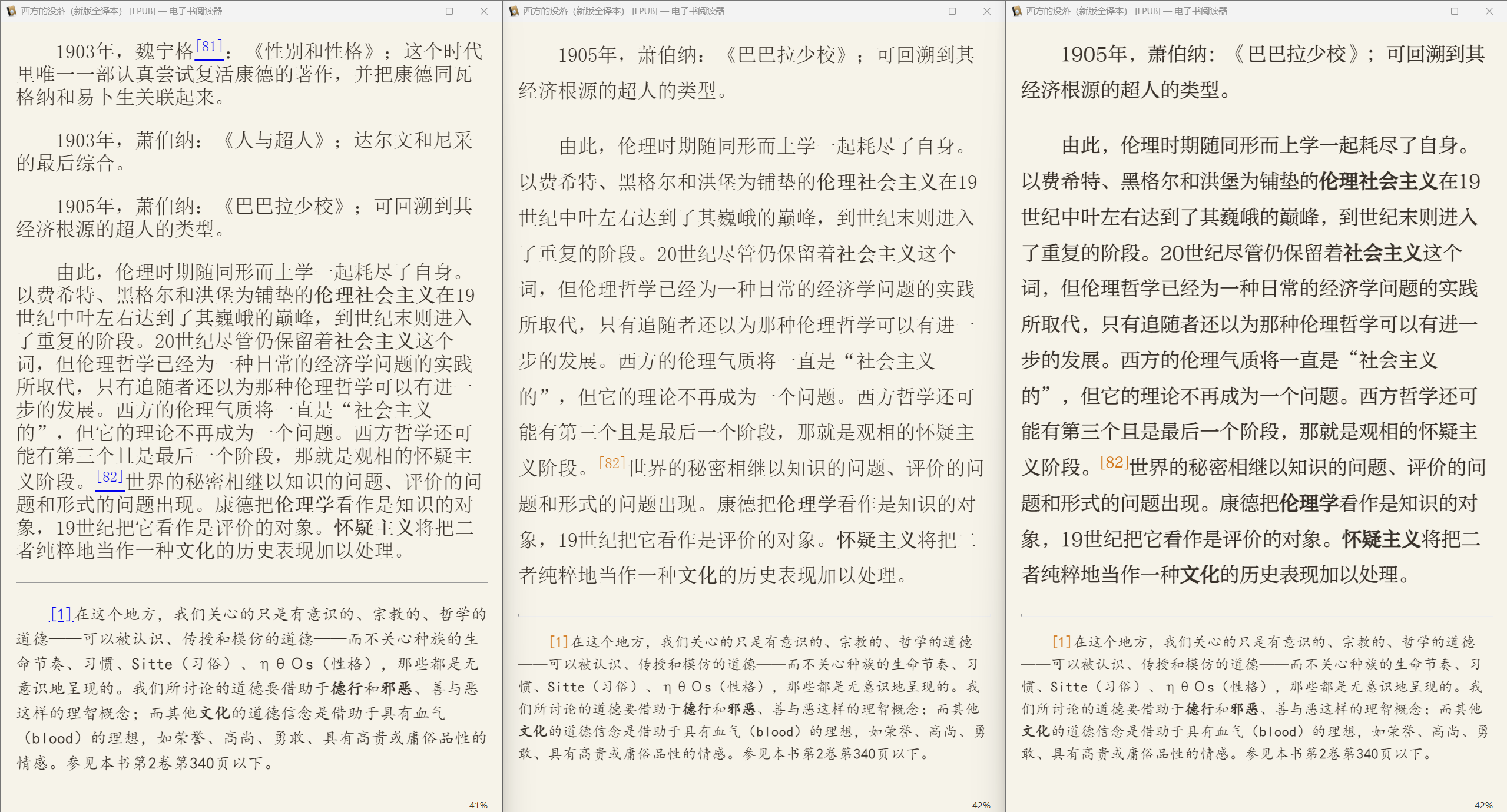
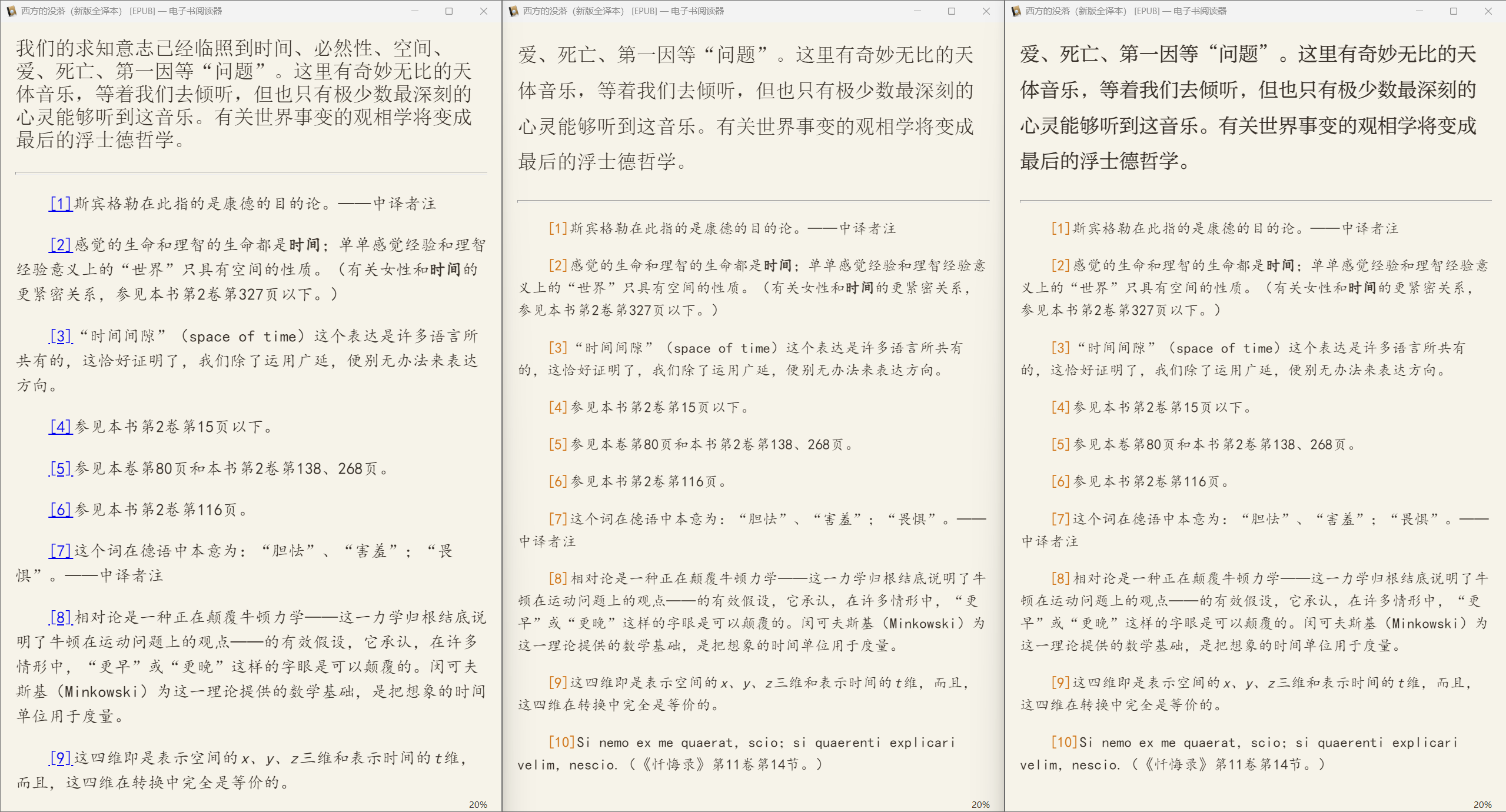
转换选项固定为默认
如果不想每一次转换都手动修改那几个设定,可以将设定固定。
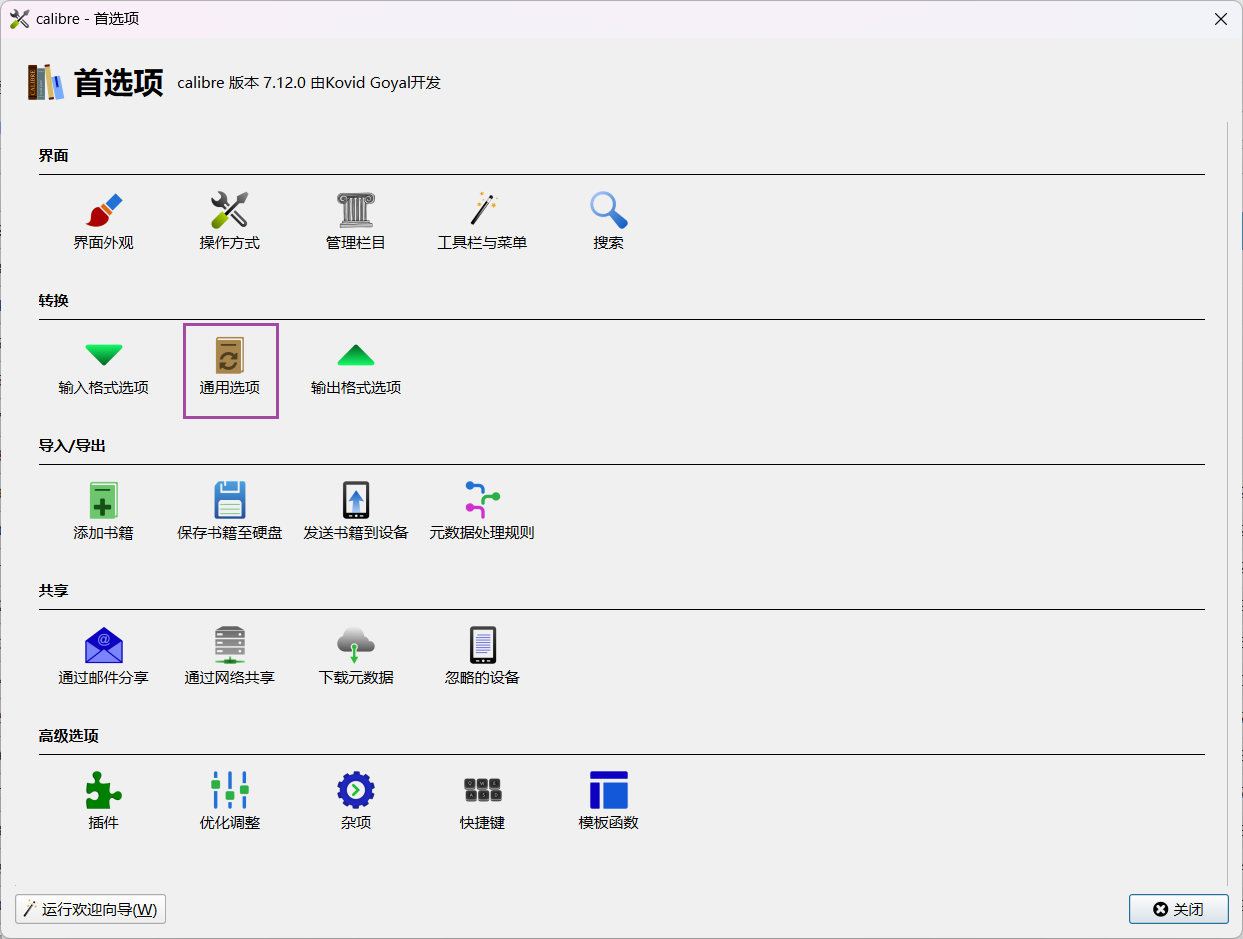
「首选项」进入「通用选项」
在这里边修改的「界面外观」,就是全局默认。
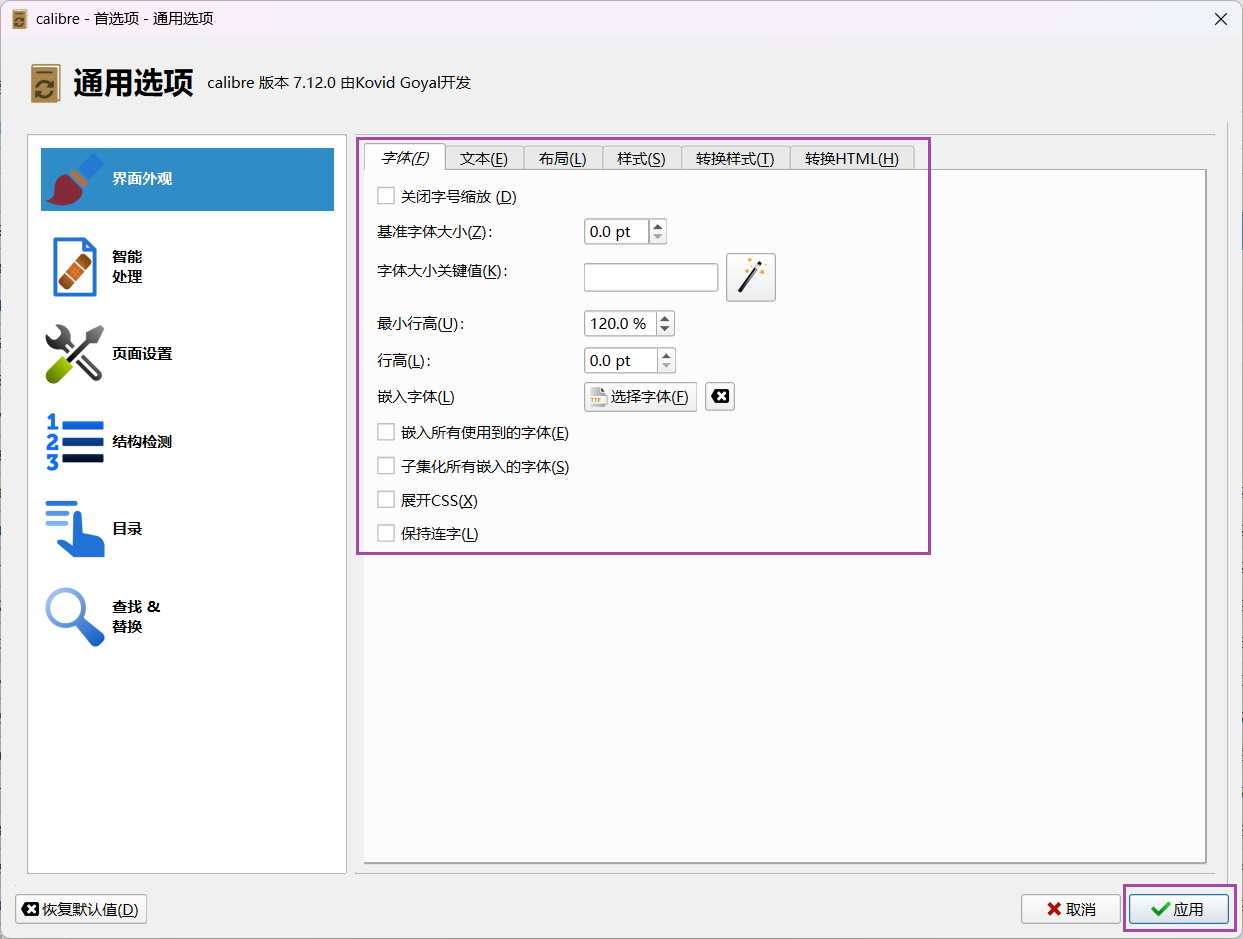
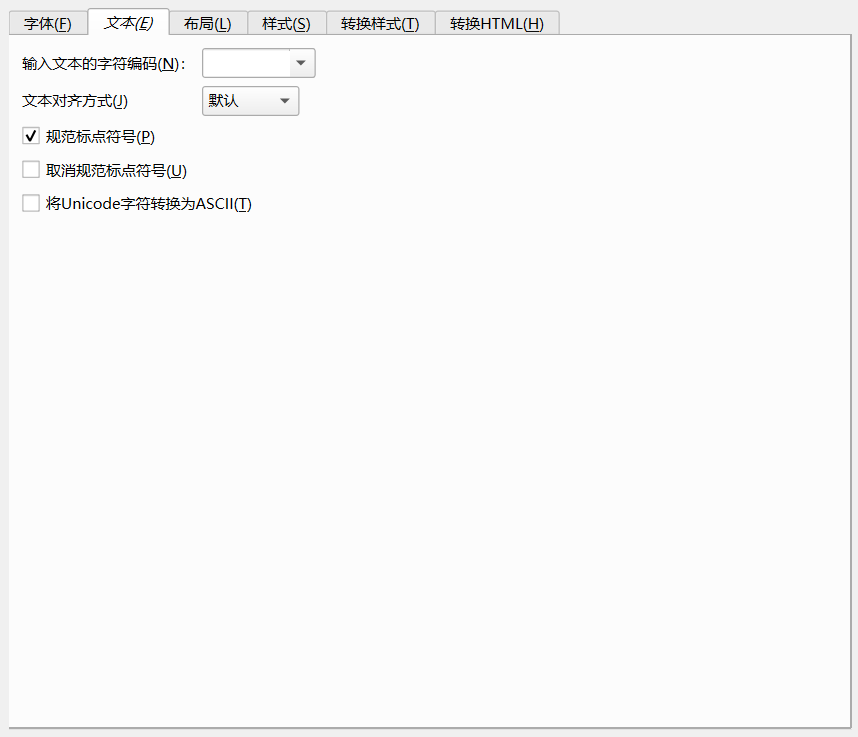
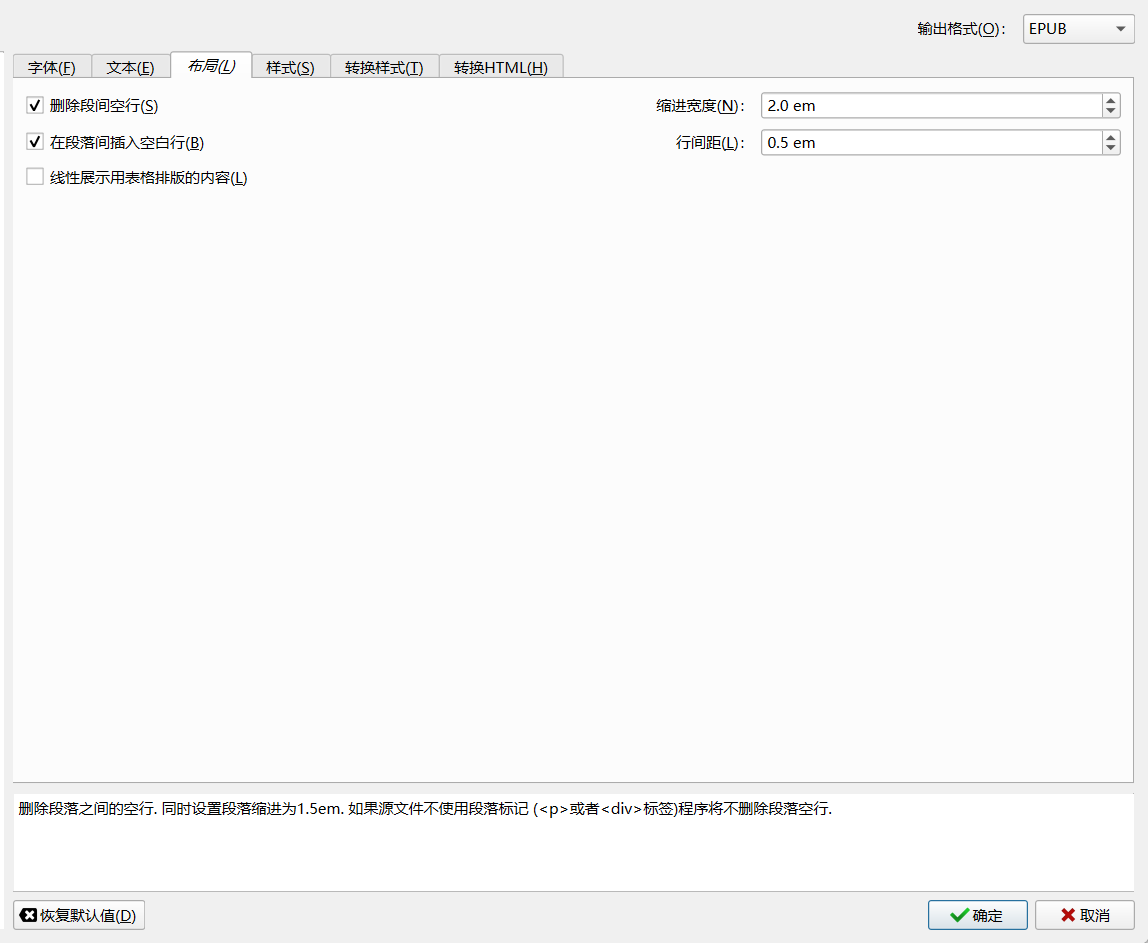
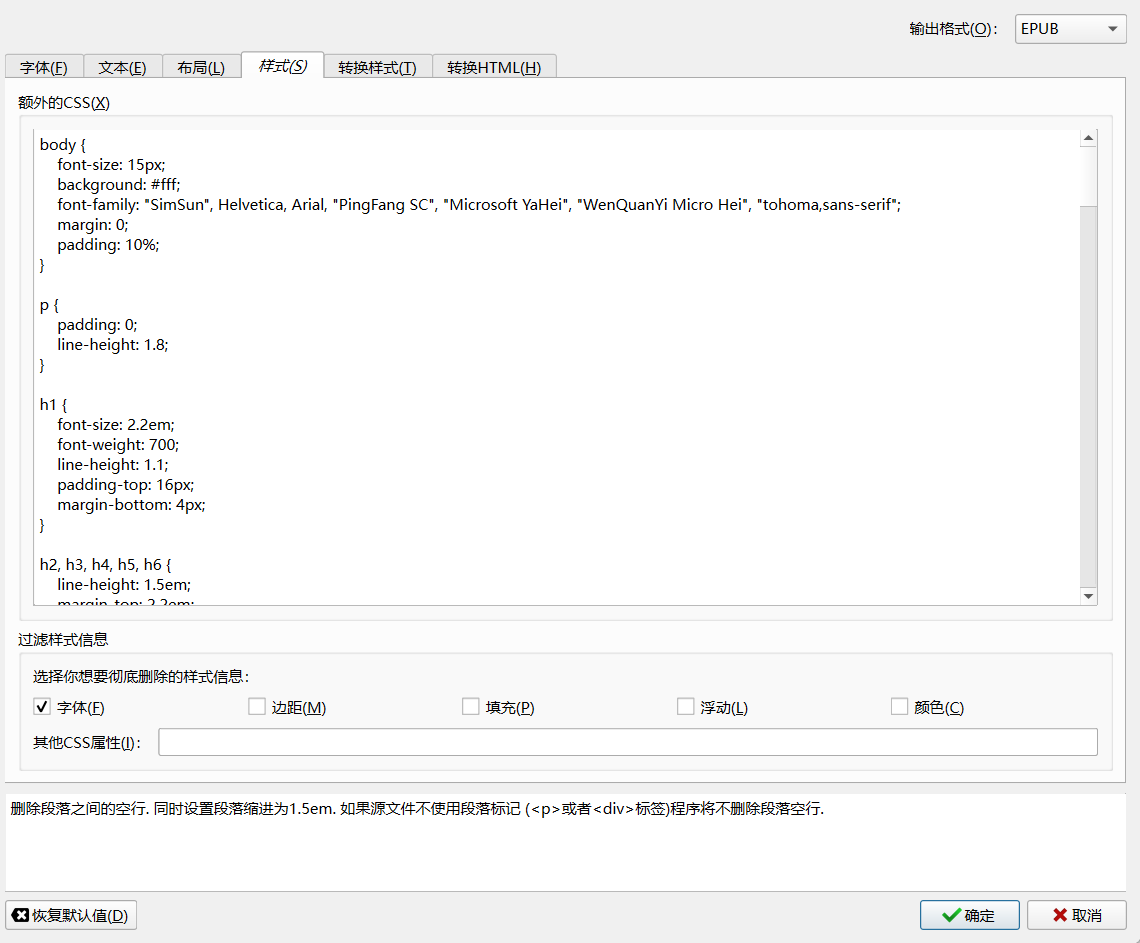
设定完成后「应用」保存,之后的转换就以这里的设置默认进行。
简繁转换
由台湾香港出版社的电子书都是繁体。
又或者是外文著作只有繁体中文版本/繁体版翻译更好/繁体版少删减。
我们便可以下载后对其进行简体转换再阅读。
* 不建议使用正则表达式,因为很少有正则表达式能完全覆盖,而且词库规则不全有遗漏,正则表达式转换之后有些字词直接变成另一个意思相近的字或者词语。
简繁互转插件
这里使用插件TradSimpChinese
直接在Github下载TradSimpChinese插件的最新版本,不用解压缩。然后在「Calibre – 首选项 – 插件 – 从文件加载插件」,来加载插件的 zip 压缩包添加到Calibre。
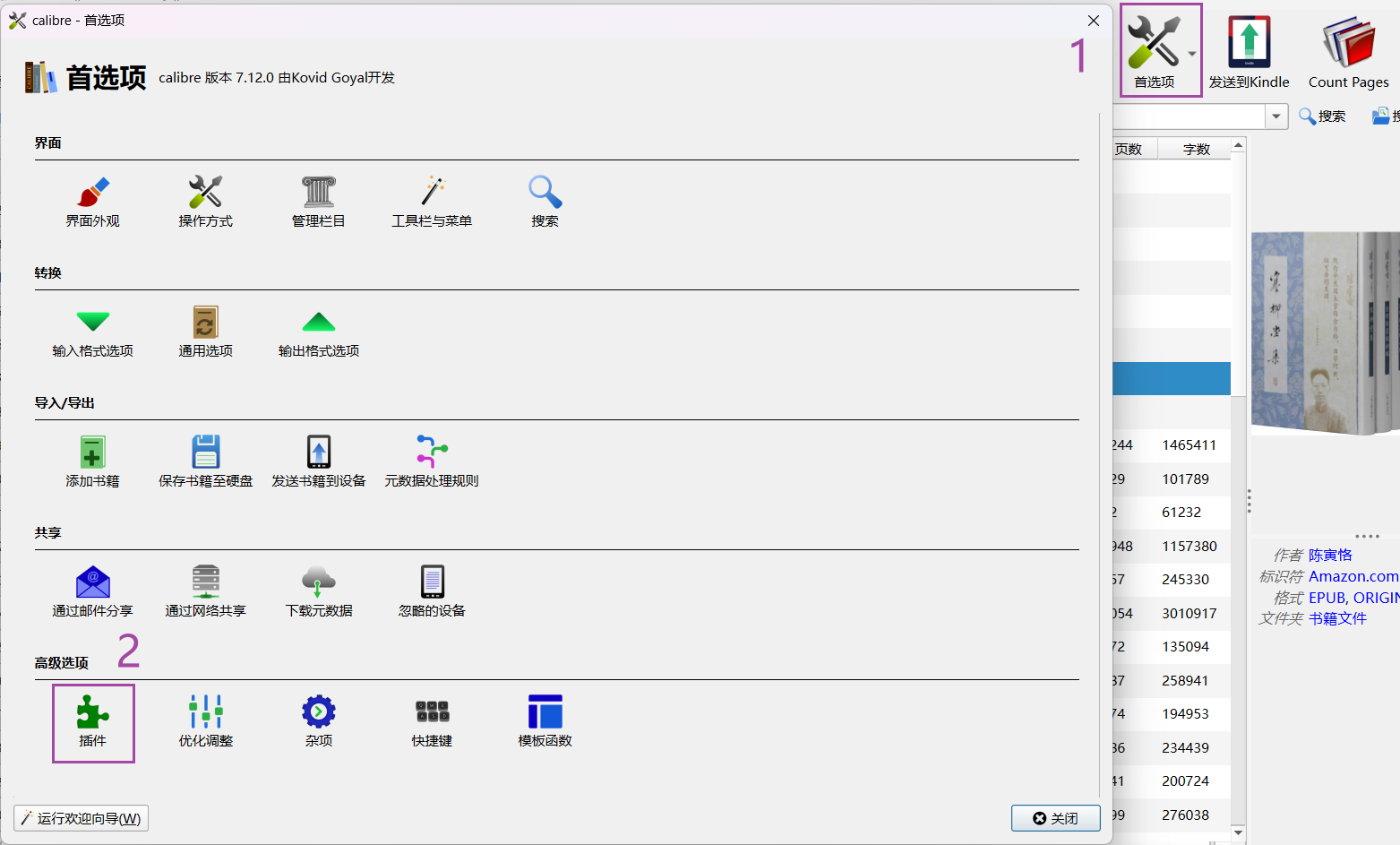
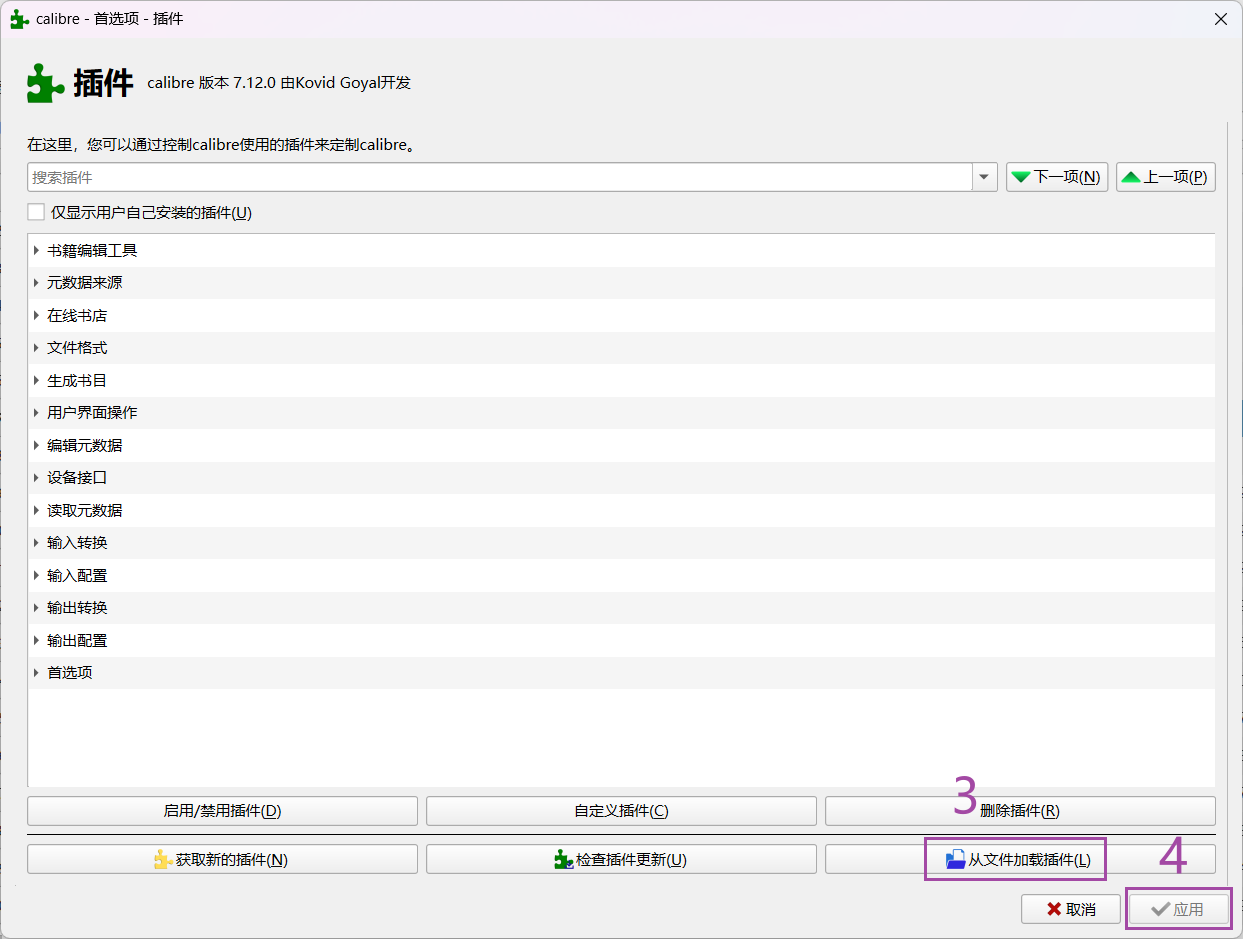
插件使用
安装完成后,使用要进入到电子书编辑界面
选中要转换的电子书,菜单栏点击「编辑书籍」

进入编辑界面,单击菜单栏「插件」选中安装的「TradSimpChinese」插件
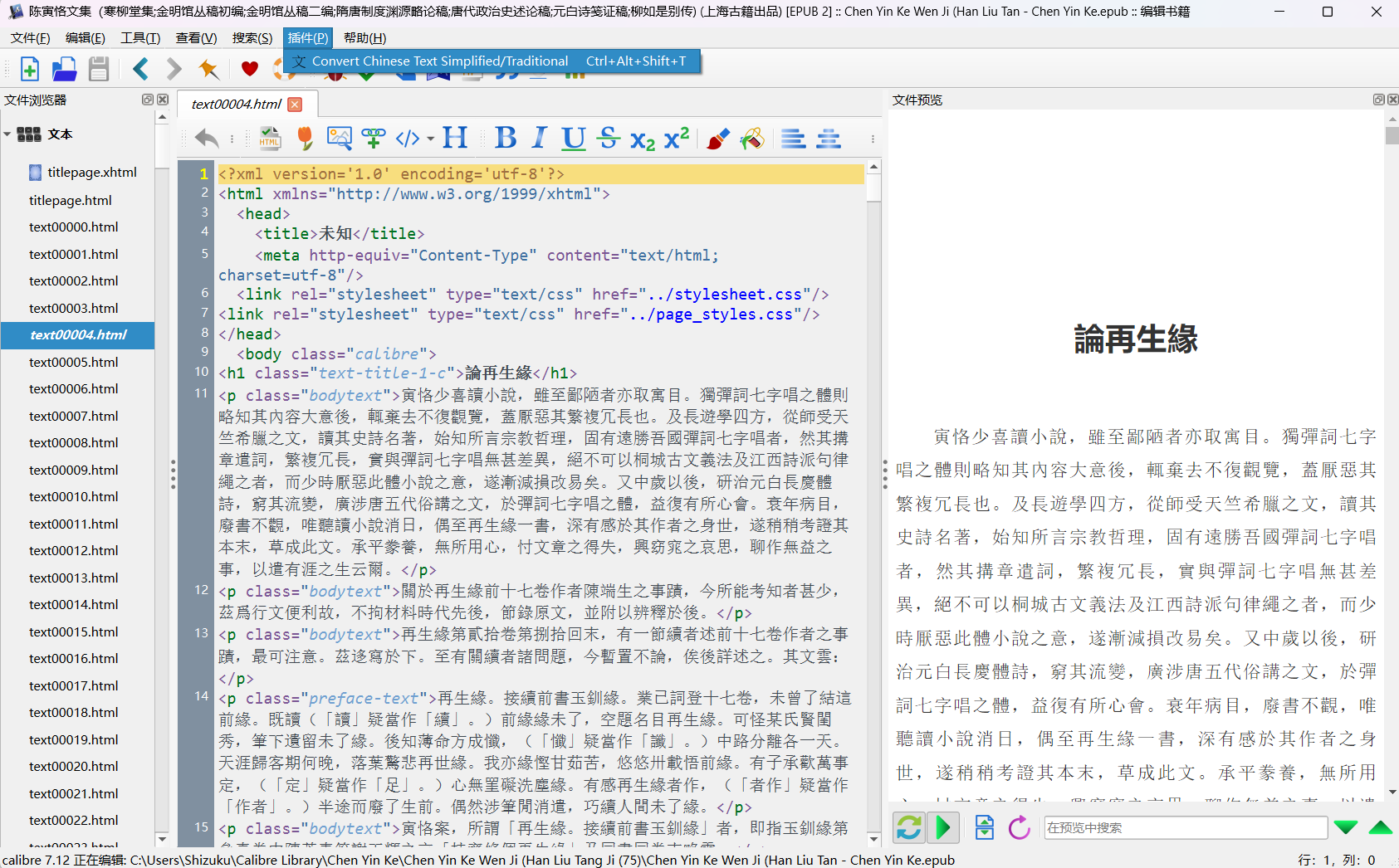
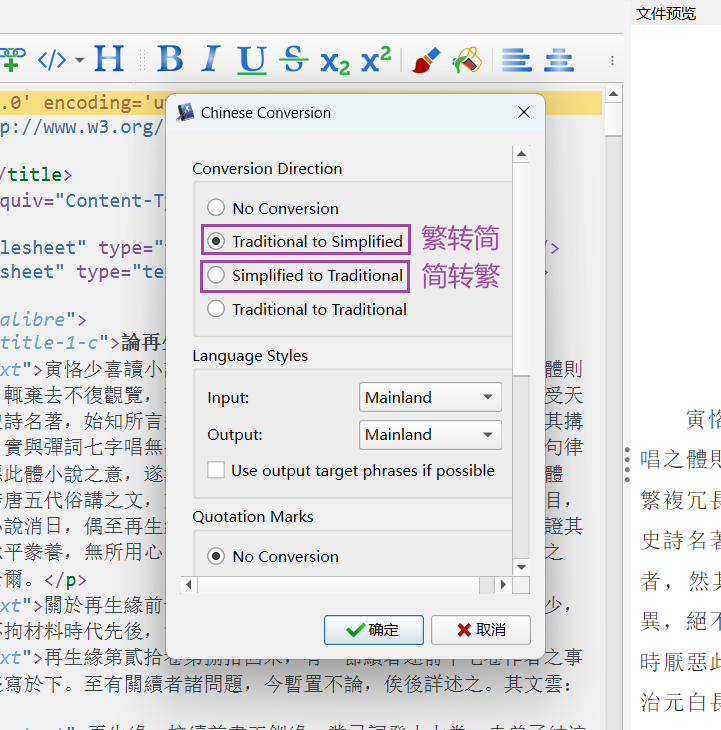
看需要选转换功能,除了最上面的选项其他的不用额外修改,选择后「确认」开始转换。
转换过程
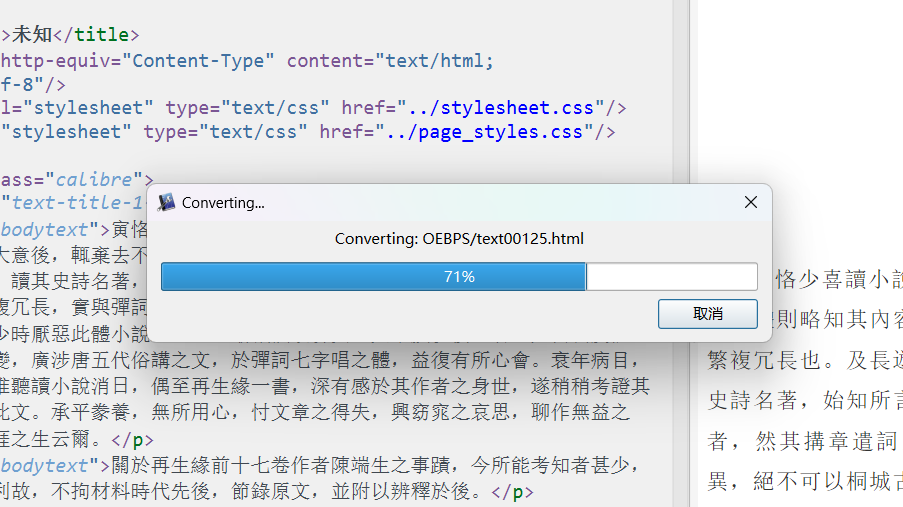
完成后点击关闭
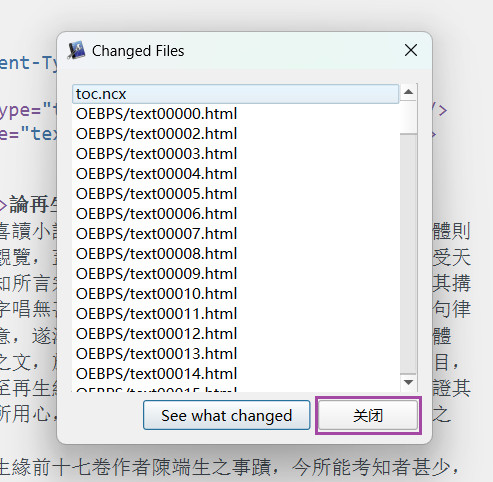
转换结果
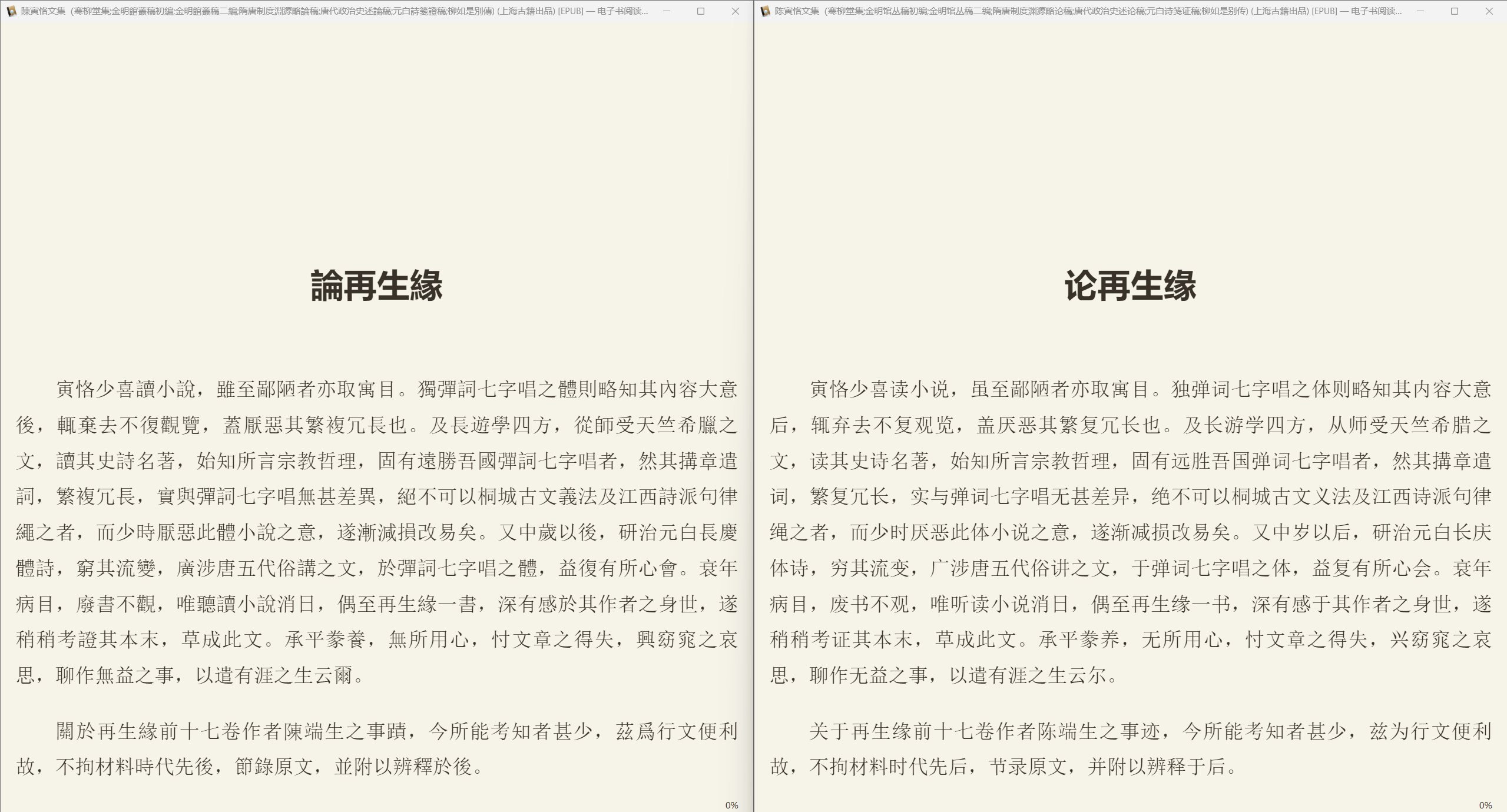
电子书内容已经全部转简体中文,对应的字词本身没有变更。
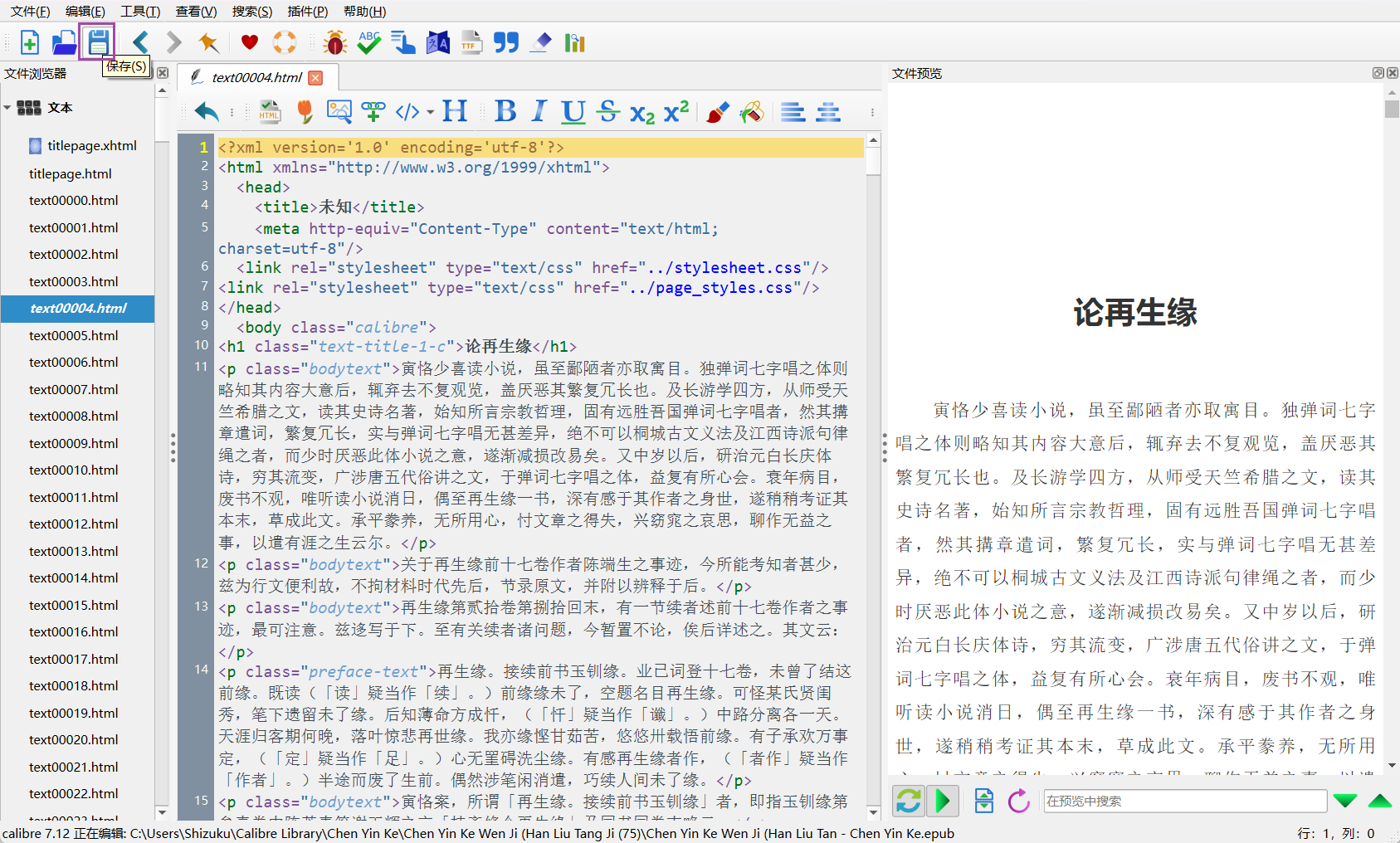
点击菜单栏的保存,或者Ctrl+S后关闭编辑界面。
再次打开,繁体字已转为简体,对比:
传输到Kindle
电子书传输,其实Amazon官方网页有Send to Kindle页面可供操作,支持大部分文件类型。
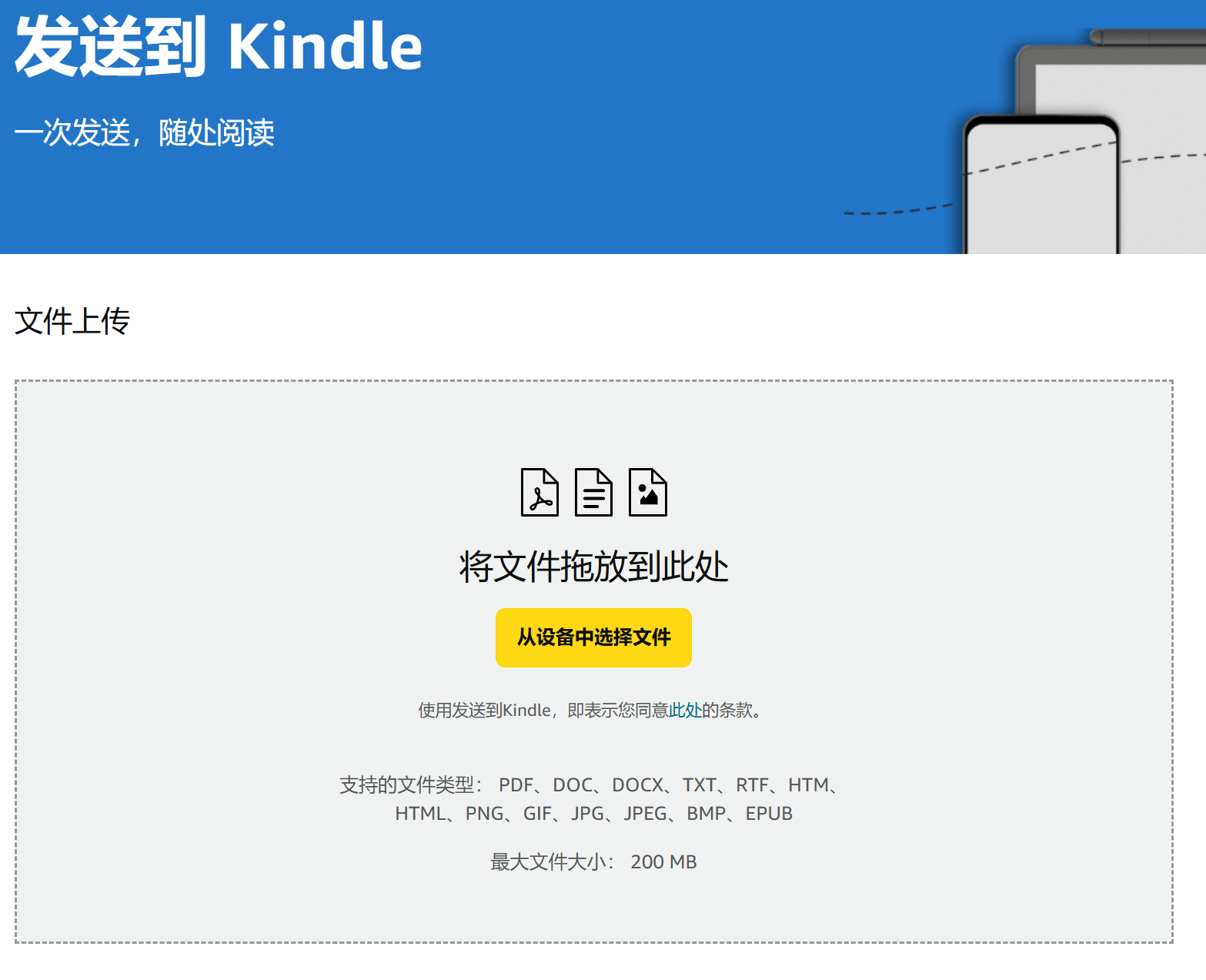
但是Calibre可以更快捷,转换完成后一键点击发送
不足之处是Calibre自带的邮件传输发送到Kindle有瑕疵,传输过去书名会变成拼音,好在可以通过插件解决。
配置邮件分享
菜单栏点击「首选项」,进入「通过邮件分享」
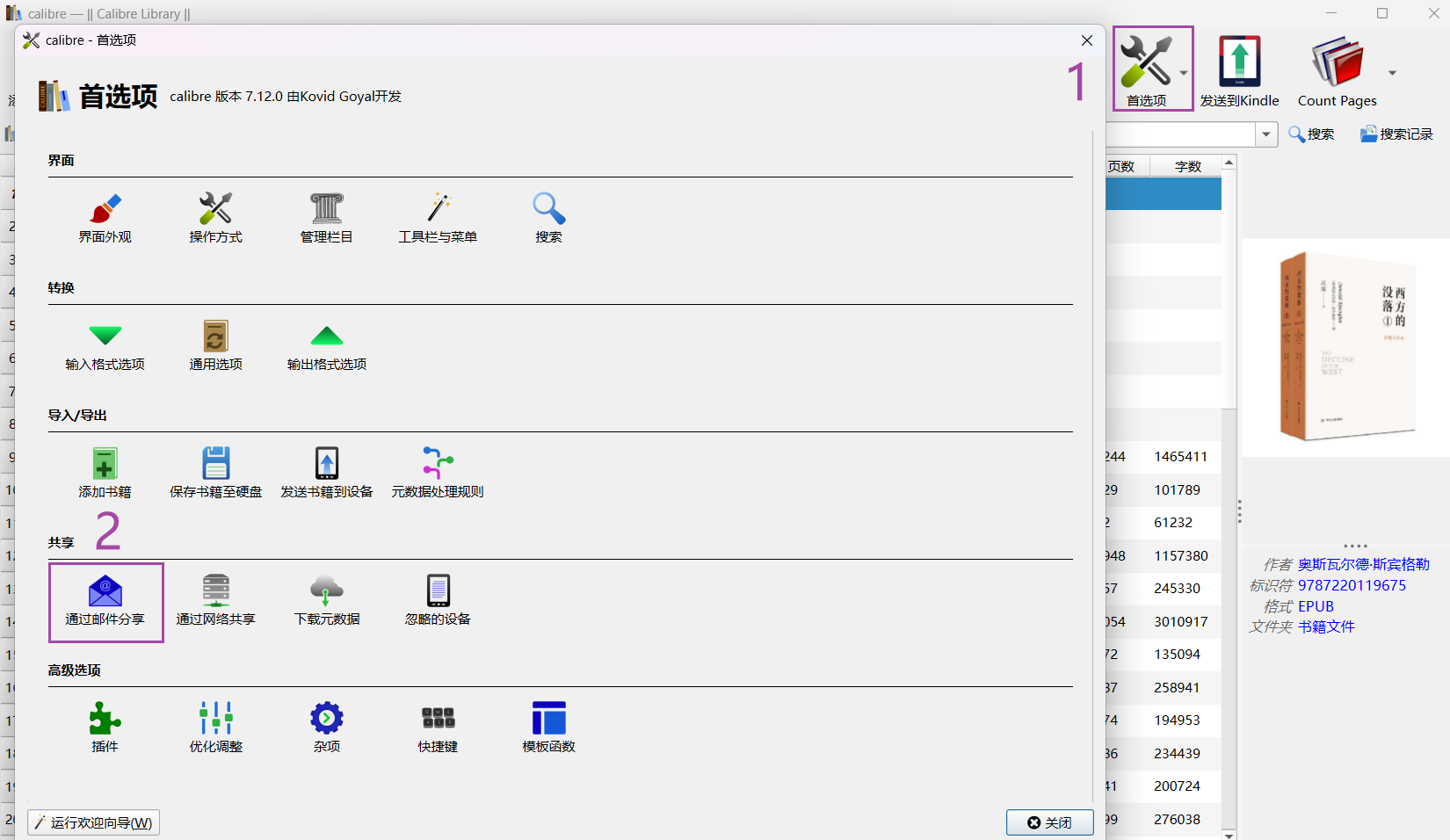
设定邮箱服务器
1.发件邮箱
如果你用的是 Gmail 或 Live/Outlook/Hotmail 邮箱,直接点右边相应的图标填写你的邮箱地址及用户名密码即可,软件将会自动为你填写主机名和端口。
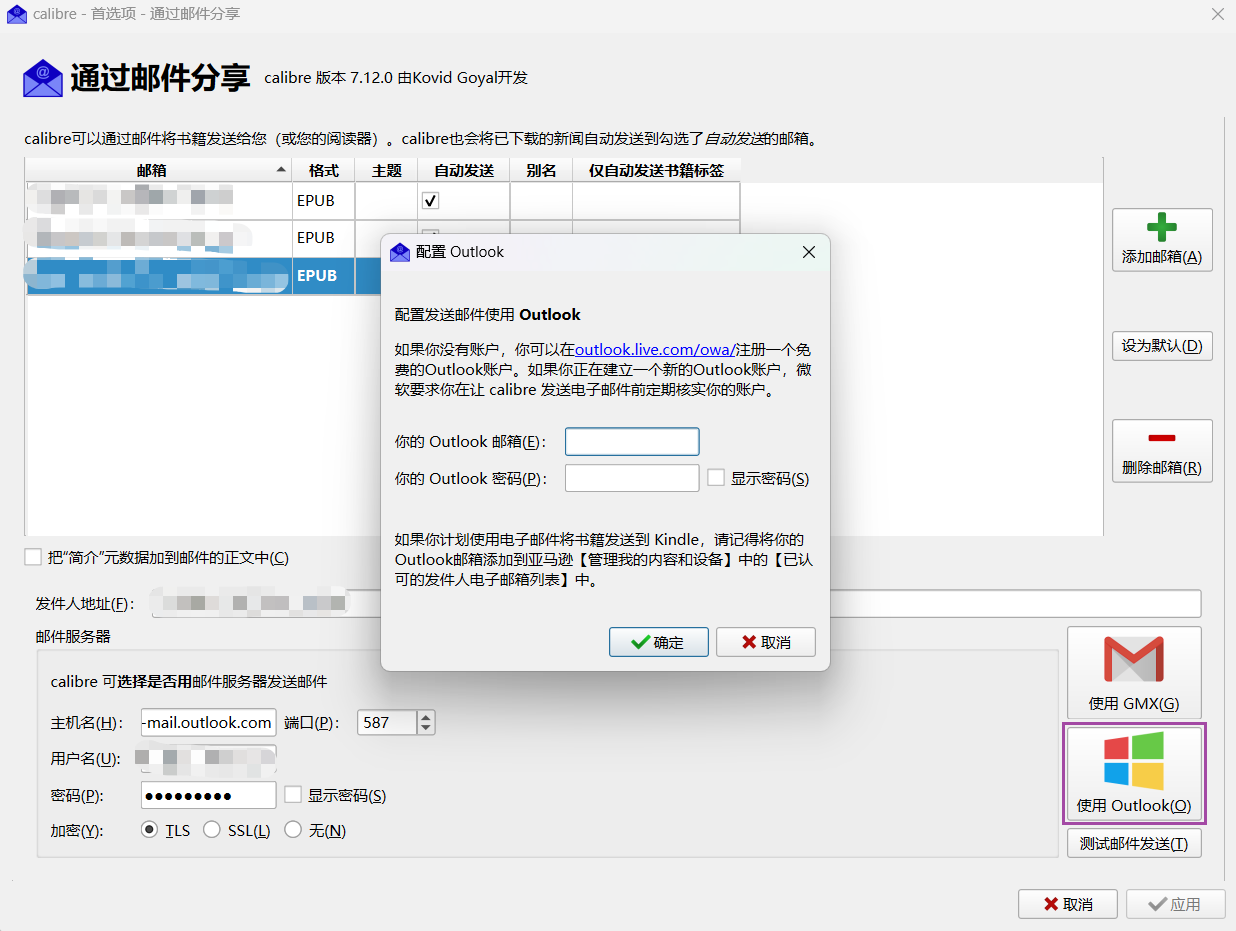
如果使用其他的邮箱请自行填写邮箱服务器设置并填入你的邮箱用户名和密码。常见的几个邮箱服务器如下:
| 服务商 | 主机名 | 端口 | 加密类型 | 备注 |
| Gmail | smtp.gmail.com | 465 587 | SSL TLS | * 中国网络需要使用网络代理(VPN) * 必须开启两步验证并使用生成的应用密码 |
| Office365 Outlook Hotmail Live | smtp.office365.com smtp-mail.outlook.com | 587 | TLS | * 需要使用新版本 Calibre 兼容其 TLS 协议 * 收到账户异常登录活动邮件后需确认登录 |
| 163 | smtp.163.com | 465 587 | SSL | * 新注册邮箱可能无法立即使用 * 密码请使用授权码而非登录密码 * 频繁发信可能会被禁用 SMTP |
| 126 | smtp.126.com | 465 587 | SSL | * 新注册邮箱可能无法立即使用 * 密码请使用授权码而非登录密码 * 频繁发信可能会被禁用 SMTP |
| Yeah | smtp.yeah.net | 465 587 | SSL | * 新注册邮箱可能无法立即使用 * 密码请使用授权码而非登录密码 * 频繁发信可能会被禁用 SMTP |
| smtp.qq.com | 465 | SSL | * 密码请使用授权码而非登录密码 |
2.收件邮箱
每个登录了Amazon账号的Kindle设备都会有对应的邮箱
在手机和PC登录Kindle APP同样也会生成邮件箱
Amazon Kindle Manage Your Content and Devices页面有详细说明
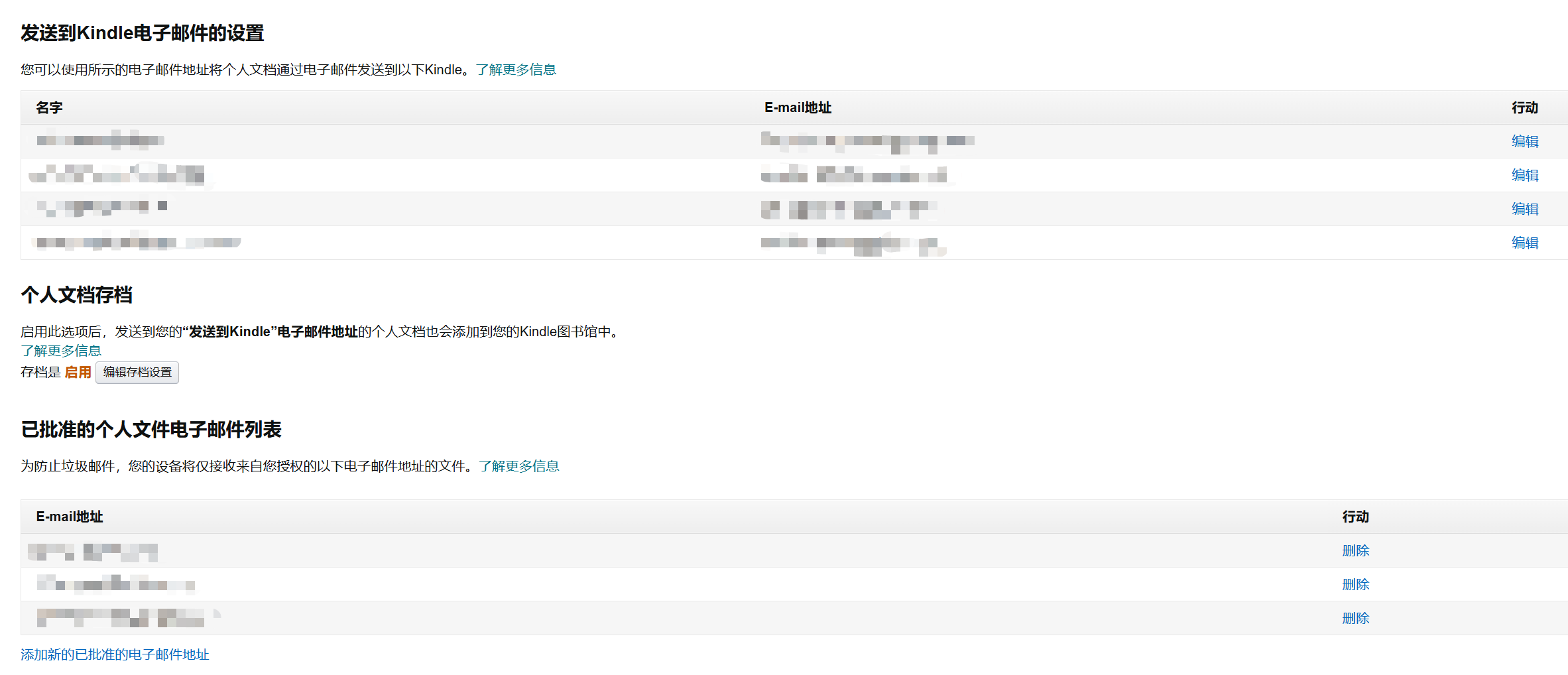
上半部分的邮件地址是收件地址
能看到Kindle设备以及登录了Kindle APP的手机/PC对应的邮箱
我们需要在Calibre收件箱设置的就是这个,收件邮箱添加进去。
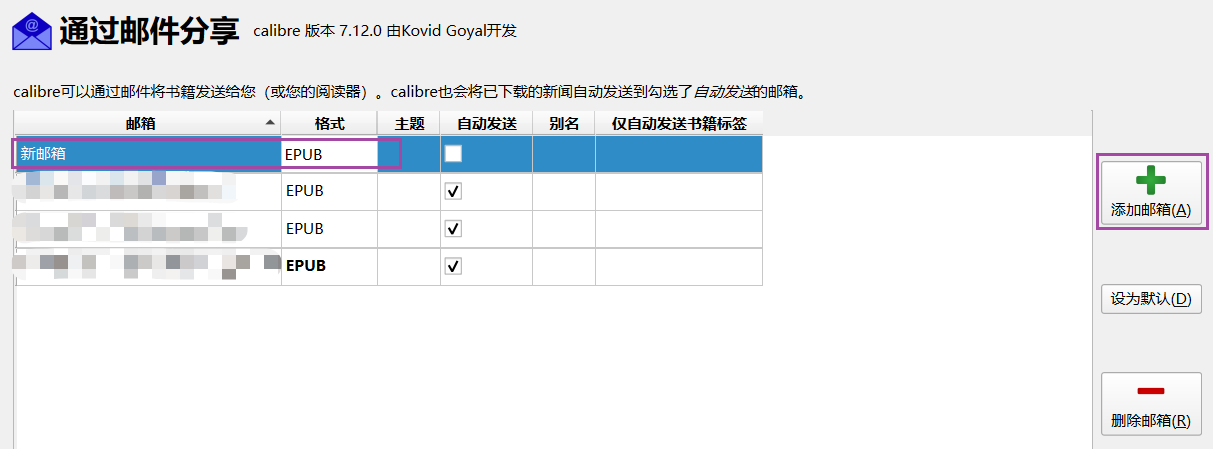
邮箱填入上面网页显示的Kindle本机邮件地址,格式建议只保留使用EPUB。
设置白名单

图片下半部分的邮箱为批准的邮箱
意思是如果你想成功发送,需要事先把我们在Calibre里设置的发件邮箱Edit添加到这个“白名单”。
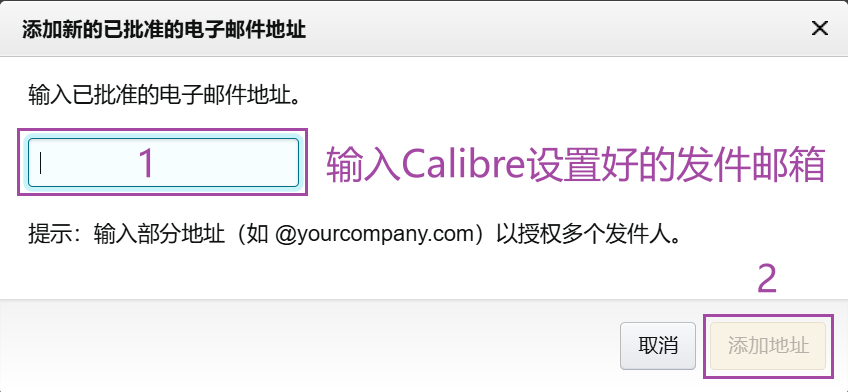
添加地址后网页自动保存。
发送测试邮件
设置完毕后点击右下角的“测试邮件发送”按钮
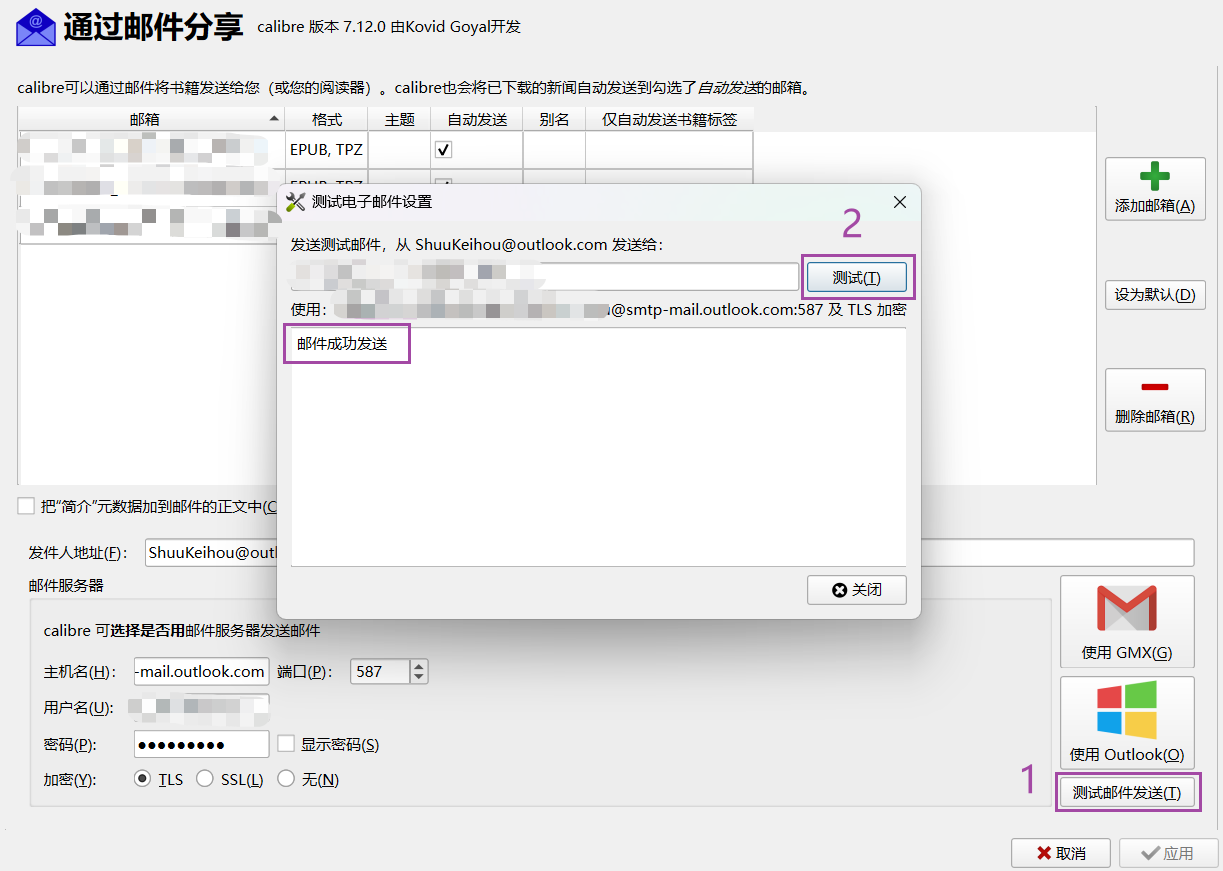
显示框出现“邮件已发出”即表示设置成功。
安装插件
上面说过使用Calibre直接发送到Kindle,书名会对不上,显示全拼音。
你需要为 Calibre 安装一款由书伴开发的名为Send to Kindle的插件来解决这个问题,这个插件可以让你通过 Calibre 内置邮件功能发送文件名带有正确书名的电子书,也可以在发送前自定义书名。
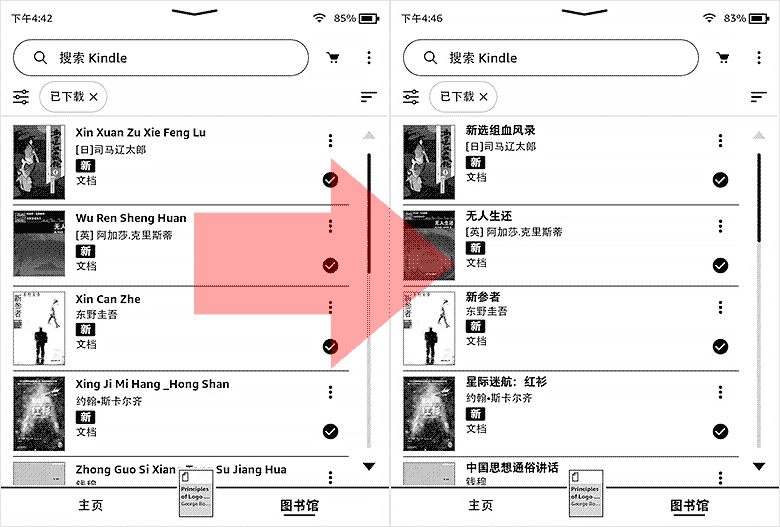
Send to Kindle 插件下载:Github 选择最近日期的新版本下载
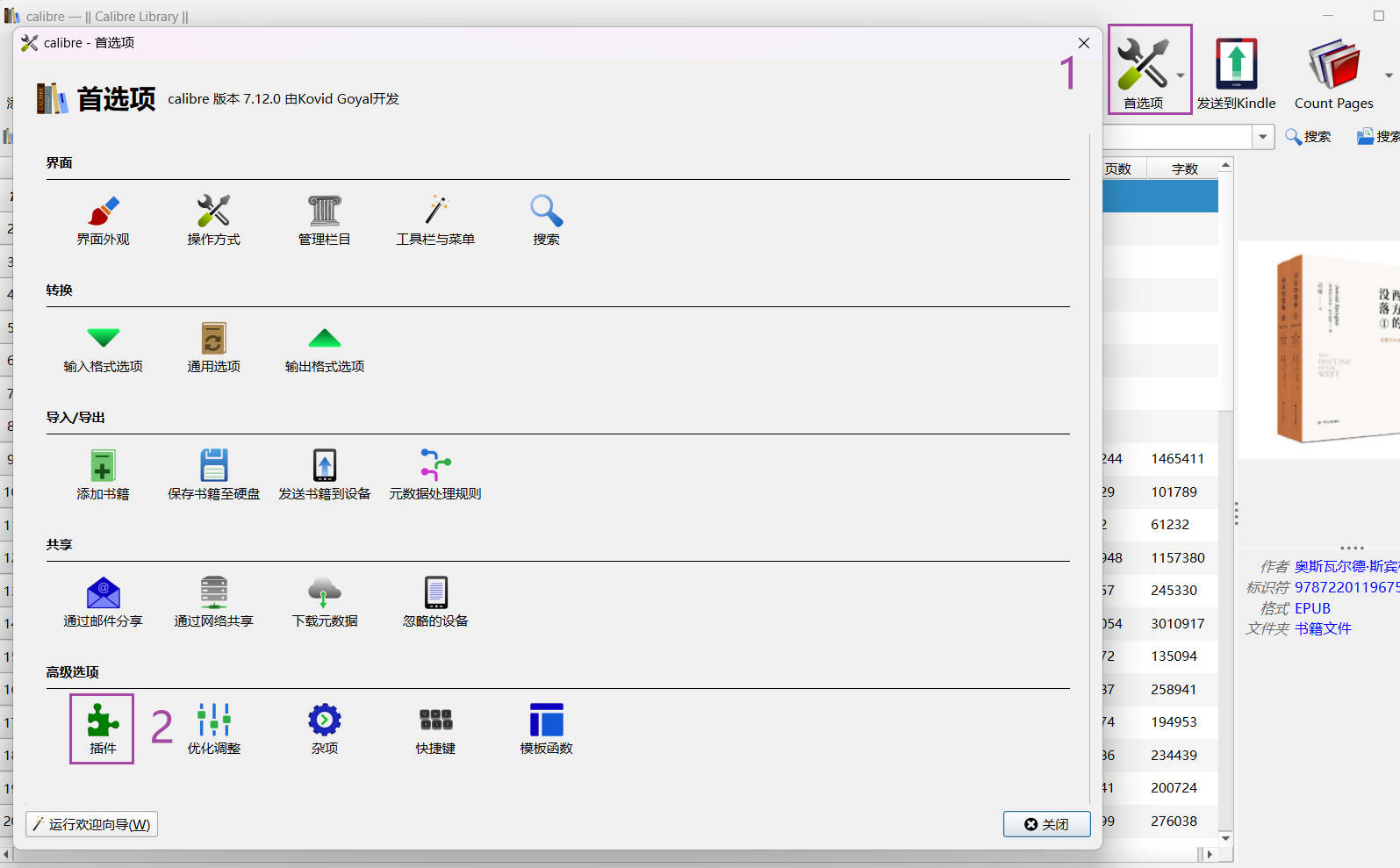
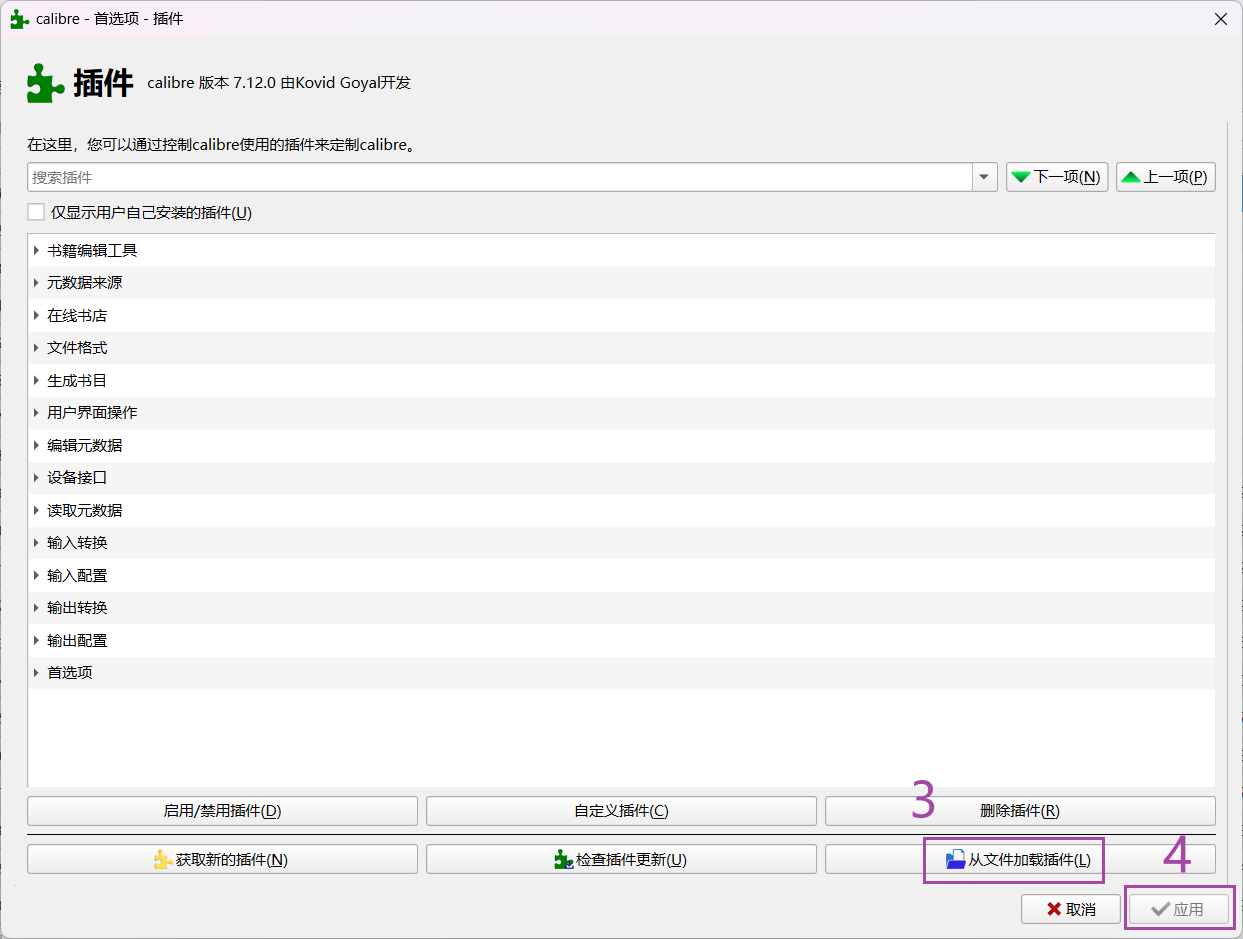
插件下载完成后,不用解压缩,打开 Calibre 并依次点击其菜单【首选项 → 插件 → 从文件加载插件】,在弹出的对话框中选择下载的后缀名为 .zip 的插件文件,即可完成安装(请留意,首次安装此插件时,要选择把图标显示在主工具栏上)。最后关闭并重新打开 Calibre 即可正常使用。
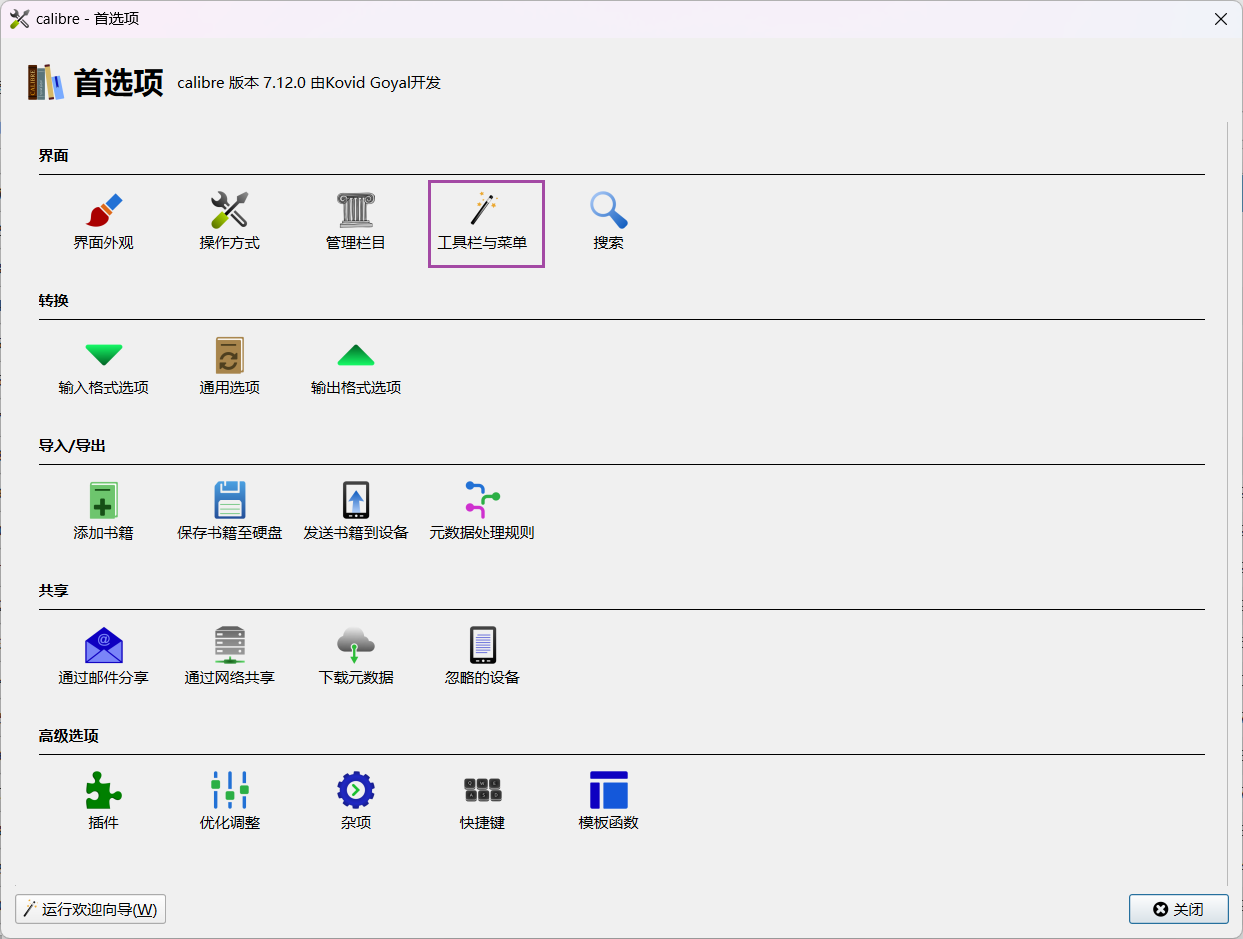
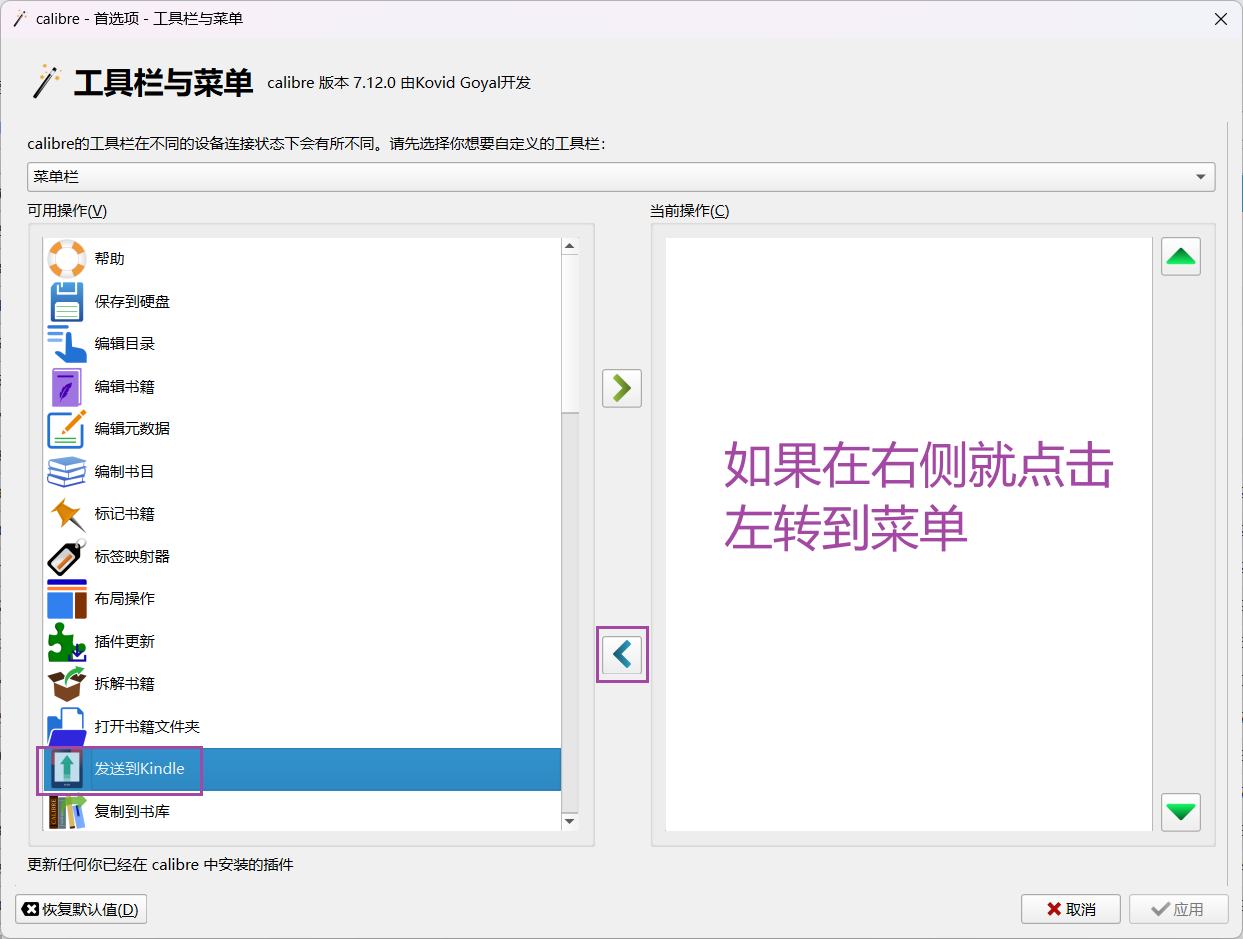
如果安装插件后,插件图标未出现在 Calibre 的主工具栏上,可以依次点击 Calibre 的菜单【首选项 → 工具与菜单】,在弹出的对话框中点击下拉菜单并选择“主工具栏”,然后在左栏找到并选中插件图标,点击中间的右箭头按钮【<】将其添加到左栏,最后点击【应用】按钮即可。
将电子书推送到 Kindle
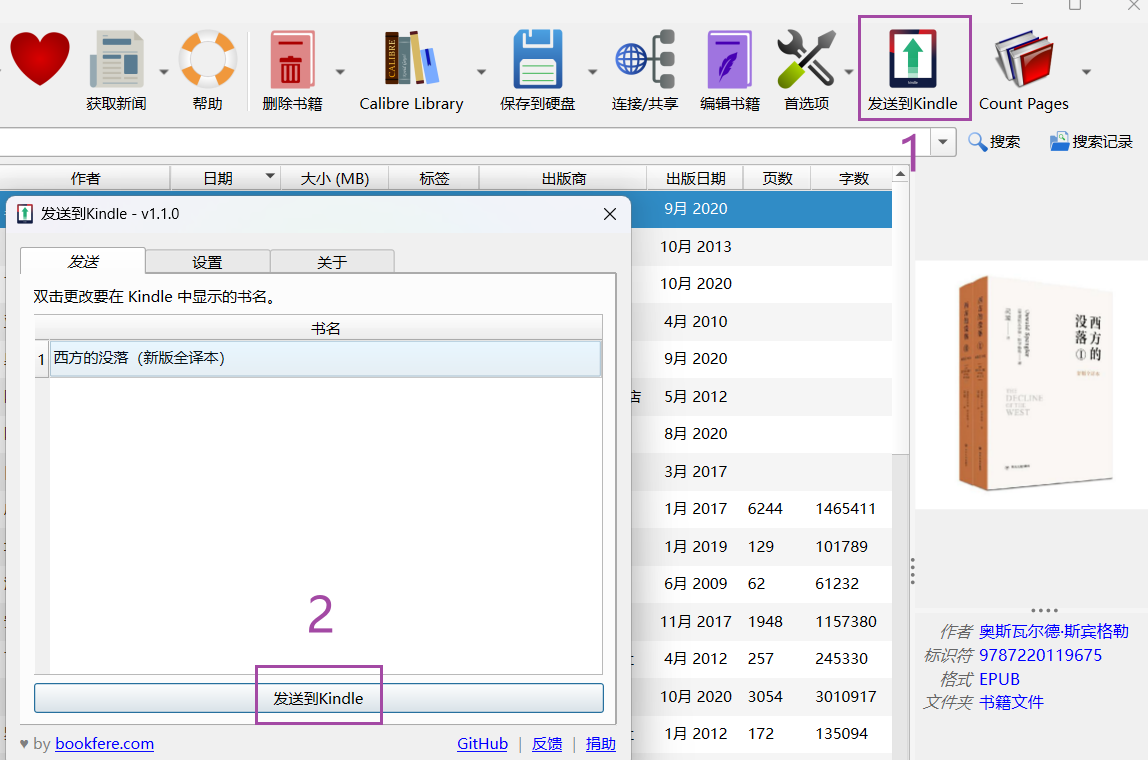
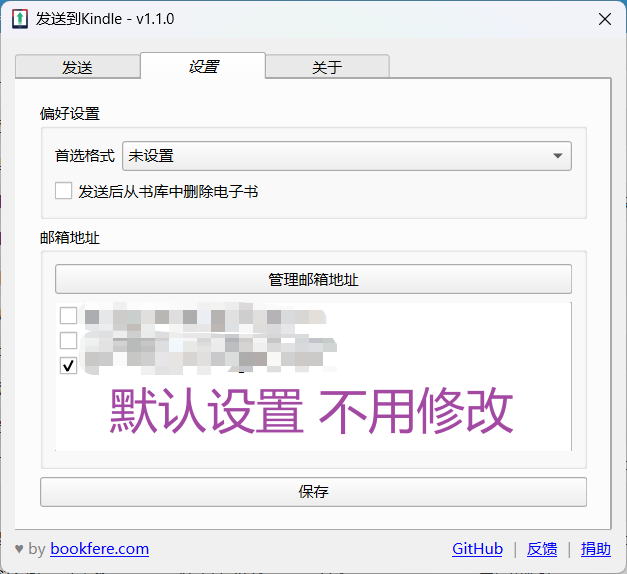
Send to Kindle插件固定在菜单栏,选中电子书后单击「发送到Kindle」,在小窗口里确认发送。
发送后在Calibre右下角任务列表
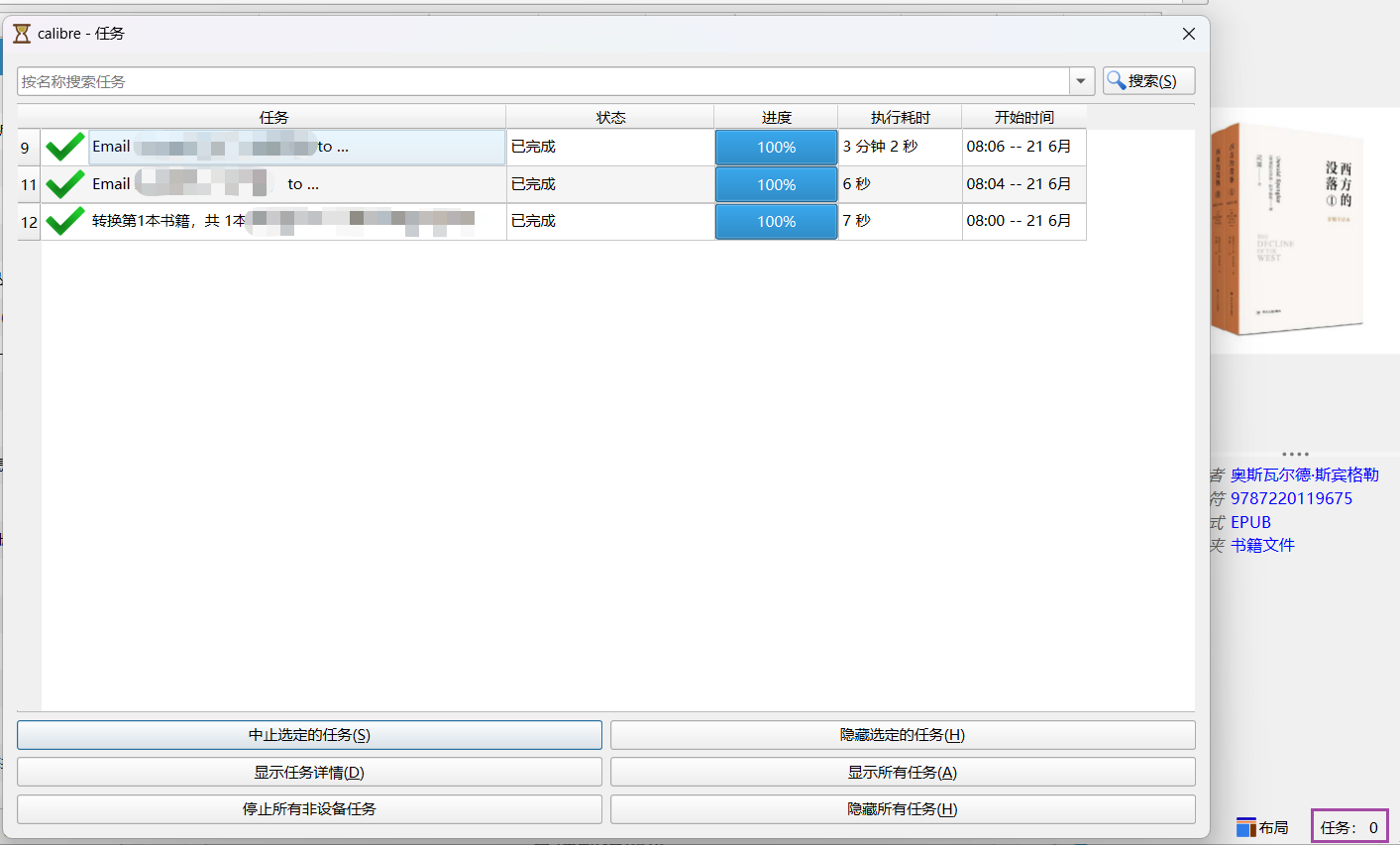
发送单本电子书的时常一般在10秒左右(文件大小10mb以内)
如果选中多本连续发送,后面每一本传输时间会延长至3~5分钟
检查发送情况可以进到Amazon Kindle Digital Content网页直接查看
只要文件显示在网页上就是正常,Kindle从亚马逊云盘下载过来需要一点时间所以会有短暂延迟。
(如果觉得在Kindle上分类收藏夹麻烦,在这个网页上批量操作会更方便)


Leave a Reply to kkkkjlCancel reply